
Derivv Pro
From image folder to production
7 followers
From image folder to production
7 followers
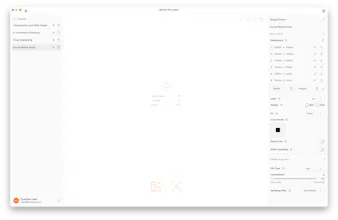
Every web project starts with the same chore: resize, crop, convert, rename, compress, upload. Derivv Pro collapses that 6-step routine into one. Drop a folder, pick an Output Preset (sizes, formats, crops, naming, destination), and process hundreds of images in one pass. Direct upload to WordPress or S3. Web Scanner audits live pages for image issues. 100% local — nothing leaves your machine. Built for designers and agencies who run this routine on every single project.




Hi PH 👋 I'm Levi.
I built the first version of Derivv at Walmart.com. We had a Mac running Photoshop 24/7 — literally just sitting there resizing product images all day. I replaced it with a scrappy app called BigGulp. Ugly, but it worked, and nobody had to babysit Photoshop anymore.
When I left, I rebuilt it as an open-source browser tool. People kept asking for more: a desktop app, saved presets, batch crops, direct uploads, live-site image extraction. So I built Derivv Pro.
The idea is the same: the image prep you do on every project shouldn't need 6 tools and an hour of your day. Drop a folder, hit ⌘⇧U, and your files are live on WordPress or S3.
A few things I'm proud of:
• 100% local processing — your images never touch a server
• Output Presets — set your sizes/formats/crops/naming once, reuse forever
• Web Scanner — point it at a live page, it flags and imports oversized/unoptimized images
🎉 PH-only — Founders Edition: $199 lifetime access. Only 100 seats. When they're gone, they're gone.
👉 derivv.com/founders-edition coupon code: PH4LIFE
I'll be here all day — ask me anything, and I'd genuinely love to hear what your current image workflow looks like.