No reviews yetBe the first to leave a review for Daisy
Maker
📌
Hey Product Hunt,
I’m launching Daisy today.
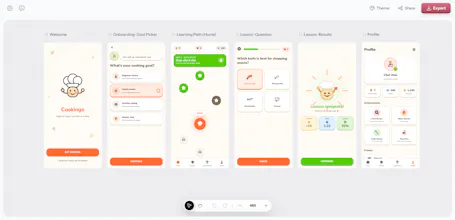
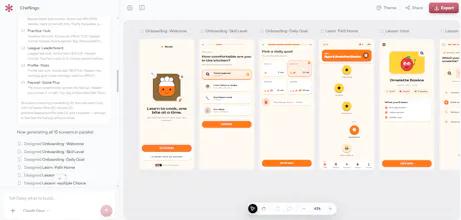
Daisy helps you turn an app idea into a complete mobile design without starting from a blank canvas. You can describe what you want, generate multiple screens, edit them in Figma, and export code when you are ready to build.
You can also create app icons and App Store visuals, so you can go from an idea to both the product design and the assets you need to launch it.
I made Daisy for founders and developers who want to move faster from idea to something they can actually ship.
I’d really appreciate your feedback on what feels useful, what feels confusing, and what Daisy should support next.
Thanks for checking it out.
Report
The prompt-to-screen flow feels really considered, especially the way you can hop straight into Figma or hand it off to an AI agent without rebuilding anything. Nice execution.
Report
Love the prompt-to-screen speed, super handy for quick mockups. One thing I'd love is a way to lock certain components like nav bars or buttons so they stay consistent across screens in the same project, basically keeping a small design system intact without rebuilding it every time.
Report
Tried Daisy with a quick onboarding flow prompt and the output was cleaner than I expected, especially the spacing. Exporting to Figma saved me a ton of time rebuilding it from scratch.


The prompt-to-screen flow feels really considered, especially the way you can hop straight into Figma or hand it off to an AI agent without rebuilding anything. Nice execution.
Love the prompt-to-screen speed, super handy for quick mockups. One thing I'd love is a way to lock certain components like nav bars or buttons so they stay consistent across screens in the same project, basically keeping a small design system intact without rebuilding it every time.
Tried Daisy with a quick onboarding flow prompt and the output was cleaner than I expected, especially the spacing. Exporting to Figma saved me a ton of time rebuilding it from scratch.