
Cue
Subtitle generator with styling and burned-in export
1 follower
Subtitle generator with styling and burned-in export
1 follower
Cue is completely free and runs locally on your computer. Most alternatives are browser-based tools with free tiers, but those usually come with watermarks, usage limits, or paid upgrades. Cue gives you the full workflow out of the box: generate subtitles, edit them, style them, and export a burned-in video on your own device.

Free
Launch Team / Built With


Viktor.comAn AI coworker that actually does the work
Promoted
Hey, I built Cue because I wanted a subtitle tool that was actually free.
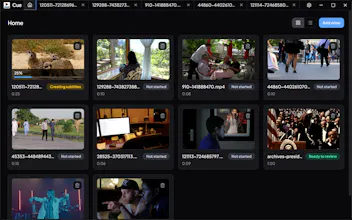
Most existing options are built around the browser, subscriptions, and feature limits. I wanted something simpler: open a video on your own computer, generate subtitles locally, fix the text, style them, and export a burned-in version without sending footage to a cloud service.
Cue is free, runs locally, supports word-by-word highlighting, and handles right-to-left languages like Hebrew and Arabic.
If you try it, I’d love to know what works, what feels awkward, and what you’d want next.