ClipBar

Quickly see your pasteboard from your Menu Bar

1 follower

ClipBar lets you see at a glance anything you have in your pasteboard (clipboard for our Windows friends), so you can always be sure what you're about to paste.
ClipBar gallery image
Launch tags:Mac•Productivity•Menu Bar Apps
Launch Team
Migma AI
Migma AI
Lovable for Email
Promoted

What do you think? …

Cesare D. Forelli
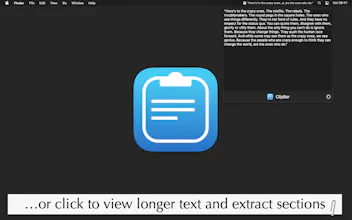
The enthusiasm shown by the community motivated me to meet the morning and not my bed, and I just submitted ClipBar 1.2 to Apple šŸš€ for review! Coming soon in this new release: • New popover for previewing images & longer texts/paths • Hovering the mouse also displays the untruncated text • The app now tries to conceal passwords (please see disclaimer in the app, this is based upon an indie developers' agreement and can't be 100% accurate) • New screenshots (why this always takes so much time? 😬), which I already updated here. Hopefully Apple will be as fast as usual and the new version will be in your hands soon!
Cesare D. Forelli
šŸ‘‹ Hunters! Cesare here, I'm the creator of ClipBar. First of all, I want to thank @chrishannah for hunting my new small Mac utility! He has already done most of the work for me, so let me know if you have any questions or ideas for future releases!
Cesare D. Forelli
I should mention that version 1.1 is already waiting for App Store's review, with a small bug fix and the addition of a tooltip showing the full content of the last item copied in the pasteboard, even if it is * a lot * of text. I don't want to turn this app in a clipboard manager, as there's plenty of good solutions out there, but I'm open to feature requests!
Cesare D. Forelli
I am beyond surprised by the warm reception ClipBar has received! Thank you Hunters! I'm almost ready to ship version 1.2, which adds a popover appearing when the menu bar item is clicked, and that displays a full preview for long texts or images. Your support really means a lot in these first days of development, thank you so much!
Cesare D. Forelli
The community keeps giving ClipBar love, and I'm happily keeping the updates coming. Version 1.3 has just been submitted with a couple of handy features: • You'll be able to share the current content of your pasteboard (be it text or an image) to other apps with the share button in the lower left corner of ClipBar's popover (which appears when you click on the app in the Menu Bar). • ClipBar popover will now be more effective when you have copied a bunch of text and want to keep only part of it: in the upcoming version, when the popover is visible, select the text you want to keep and either right-click and copy, or hit CMD+C. Hopefully Apple will approve it soon and the new release will be in your hands by tomorrow. Thanks again for the amazing support!