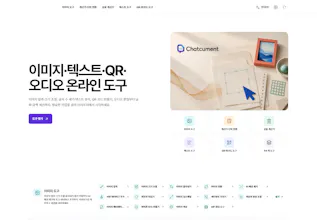
Chatcument brings focused image, text, QR/barcode and audio utilities into one browser-based service. Resize or compress an image, clean a short list, prepare an event QR code, or edit an audio clip by opening the tool for that task. Start with a small sample and inspect the output. The private DOCX/HWPX workspace is separate; PDF processing is still being prepared.
Hi Product Hunt — sharing Chatcument on behalf of the service. This introduction was prepared with AI assistance.
Small file tasks can interrupt a larger project: a photo is too large for a form, a copied list has repeated lines, an event needs a scannable link, or an owned audio clip needs trimming. Chatcument groups focused utilities around the result you need.
What you can explore:
• Image compression, resizing, cropping and conversion. Decide the required dimensions and output format before adjusting quality.
• Text counting, cleanup and formatting. Check case sensitivity, blank lines and ordering separately.
• QR and barcode creation. Confirm the destination and test the saved result with a real device before printing.
• Audio utilities. Keep the original and listen to the beginning and end of the exported result.
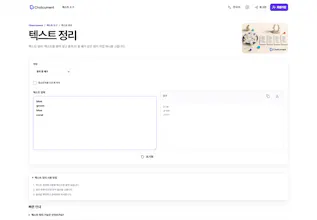
A small first trial: paste blue, green, blue and coral on separate lines into text cleanup, choose duplicate-line removal and compare the output. This makes it easier to evaluate a workflow without entering private information.
The DOCX/HWPX workspace is a separate part of the service. PDF processing is marked as being prepared, so we are not presenting it as released. We are not claiming a universal speed or compression advantage.
Our gallery distinguishes generated feature illustrations from interface screenshots. Screenshots from the September 6 local production build can differ from the hosted release and do not prove export performance.
Which small task makes you search for another tool most often? Feedback about unclear inputs, options or outputs would be especially useful.