
Captions Bro
Auto Captions, Video Editor & Teleprompter
54 followers
Auto Captions, Video Editor & Teleprompter
54 followers
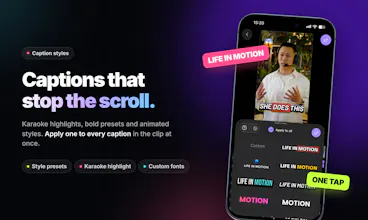
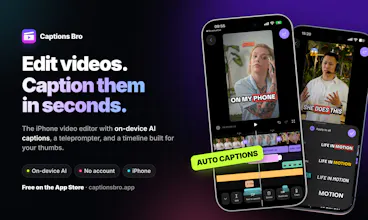
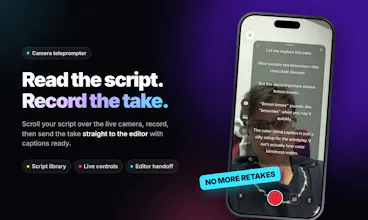
Captions Bro is more than an auto-caption app — it combines on-device transcription, a built-in teleprompter, and a full multi-track video editor in one iPhone/iPad workflow. Record your script, generate and style captions, edit clips, add overlays, transitions, and effects, then export for TikTok, Reels, and Shorts. No switching between separate caption, teleprompter, and editing apps.


Free Options
Launch Team / Built With


AWS Activate CreditsCredits that fuel your startup’s next milestone
Promoted
Hi everyone 👋
I’m Andrew, one of the people behind Captions Bro.
We built it because creating a simple short-form video often meant jumping between several apps: one for recording, another for a teleprompter, another for captions, and then a separate editor.
We wanted to see if that entire workflow could live in one place without feeling complicated, so we focused heavily on making the experience as smooth and intuitive as possible.
Captions Bro combines a built-in teleprompter, on-device automatic transcription, customizable captions, and a full multi-track video editor for iPhone and iPad.
The goal is simple: go from script → recording → captions → editing → export without constantly switching tools.
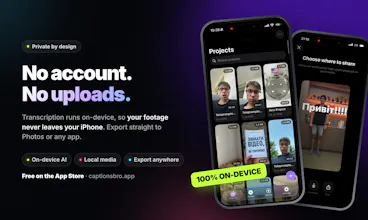
One thing that mattered to us was keeping transcription on-device, so your footage doesn’t need to be uploaded somewhere just to generate subtitles.
Things that make Captions Bro different:
Transparent pricing. No feature-specific paywalls or confusing add-ons.
Try the full workflow for free. The first project is free, so you can actually test recording, captions, editing, and export before deciding whether it’s for you.
No AI feature noise. Just a simple, efficient video editor that gets the job done.
Easy project management. Keep your projects organized and continue working across your devices.
We’ve just launched and would really love feedback from creators here, especially on the workflow.
What part of making short-form videos still feels unnecessarily slow or annoying to you?
As someone who does some SFC marketing on the side - this would be very useful.
How does it compare to capcut and is it cheaper? How responsive is the app on a phone compared to a desktop?
Congrats on the launch, definitely upvoted!
@kastelicjakob Hello Leon! Thank you so much! Basically you get one project completely free no limits as long as it is one project. Then the pricing is like this:
- Pro Monthly: $3.99/month
- Pro Yearly: $17.99/year (about $1.50/month, billed annually)
It works well on iOS + adapted to iPad screen and currently I am working hard to make it work nice on Mac OS too.
@taras_leskiv2 Thanks a lot for the clarification - that's a bargain compared to what CapCut offers. I'll go and check it out!
@kastelicjakob Thanks, this is US pricing and I need to adapt to the PPP properly.
Captions Bro is now on Mac 🖥️
A month ago Leon asked here how the app feels on a phone compared to a desktop. I said I was working on a Mac version. It's out now on the Mac App Store.
It's the same Captions Bro on iPhone, iPad and Mac, and one subscription covers all three. Your projects sync over iCloud, so you can record on your phone and finish on the big screen.
What's built for the desktop:
A full multi-track timeline with menus, keyboard shortcuts and right-click menus on everything
Captions transcribed on your Mac, with no uploads and no waiting on a server
Drag in files from Finder, rename projects in place, loop playback
AI agents: the Mac app has a built-in MCP server, so Claude Code or Cursor can edit your projects for you
Pricing hasn't changed: your first project is free with no limits, then $3.99/month or $17.99/year.
I'd love feedback from anyone who edits short-form video on a Mac. What would make you move your editing from the phone to the desktop?
👉 https://apps.apple.com/app/id6770987720