š Black Screen ā Uninterrupted Media Playback! Apply a black overlay while media plays in the background using a floating lock button. Easily toggle the overlay on or off with a tap for a seamless and distraction-free experience!
No reviews yetBe the first to leave a review for Black Screen
Maker
š
š Cover Your Screen, Keep Videos Playing! š„
Black Screen allows you to apply a black overlay to your screen while media continues playing in the background. With a floating lock button, you can cover your display effortlessly, no interruptions, just smooth playback.
š Key Features:
ā Screen Cover Overlay: Keep media playing while your screen is visually covered.
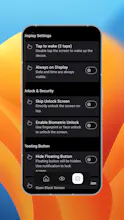
ā Floating Lock Button: Easily enable or disable the overlay with a tap.
ā Gesture Unlock: Tap anywhere to remove the overlay and restore normal screen function.
šÆ How It Works:
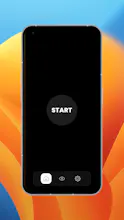
1ļøā£ Open the app and tap Start to enable the floating lock button.
2ļøā£ Play your media in any app.
3ļøā£ Tap the floating lock button to apply a black overlay while playback continues.
4ļøā£ Tap again to unlock and remove the overlay and resume normal use.