Launching today

Batchframe
Edit a whole folder of images or PDFs in one go, for free
1 follower
Edit a whole folder of images or PDFs in one go, for free
1 follower
Batchframe is a free bulk editor for images and PDFs. Compress, resize, crop, convert, watermark or strip location data from up to 30 photos at once, or merge, split and lock PDFs. The core tools run in your browser, so your files stay on your device.


Hi Product Hunt 👋
I built Batchframe because I kept needing to do one boring thing to a lot of files: resize 40 product photos for a shop, strip location data from holiday pictures before sharing them, turn a stack of iPhone HEIC photos into JPGs, merge a pile of PDFs.
Most tools either make you do it one file at a time, cap you after a few files, or upload everything to a server. Batchframe does the whole batch at once and hands you one ZIP.
What's in it:
Image tools: compress, resize, crop (square, 4:5, 9:16, 16:9), convert (JPG, PNG, WebP, AVIF; reads HEIC too), watermark, batch rename, remove EXIF and GPS data.
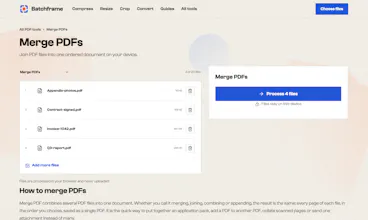
PDF tools: merge, split, rotate, compress, add page numbers, watermark, password protect (AES-256), unlock, images to PDF and PDF to images.
Platform presets: exact sizes for Instagram, TikTok, YouTube, Etsy, Shopify, Amazon, eBay and more. One folder in, every size out.
Describe it (new): type what you want in plain words, like "make these Instagram squares, add @mybakery and rename them", and it builds the chain of steps for you. You check the plan, then it runs in your browser. The AI only writes the plan; it never sees your files.
Privacy: the core tools process files on your own device, so nothing is uploaded. A few tools that need a server (Office to PDF, web page to PDF, OCR and remove background) are clearly marked and tell you before anything is sent.
It's free with no account and no watermark on your results. Ads keep it that way.
I'd love feedback, especially on what you batch most often and what's missing. Every request in the "Describe it" box that it can't do yet goes on my list.