
Atracker: AI Traffic Tracker
Real-time tracking for media buyers
21 followers
Real-time tracking for media buyers
21 followers
Atracker is a real-time traffic tracking platform for media buyers. Track clicks, conversions, and ROI; route traffic by 50+ parameters. Detect fraud and manage campaigns through an AI Agent, CLI, or native MCP server.


Free Options
Launch Team / Built With


Viktor.comAn AI coworker that actually does the work
Promoted
Hi Product Hunt! 👋
I’m Dmitry, founder of Atracker.
I’ve spent 13+ years in performance marketing and traffic monetization. We built Atracker for the work that happens after you launch a campaign: understanding what drives ROI, acting on the data quickly, and staying in control as traffic scales.
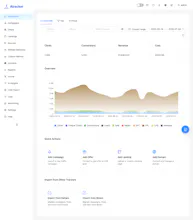
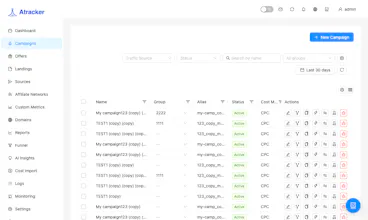
Atracker is a real-time tracking platform for media buyers and performance teams. It brings together click and conversion analytics, traffic routing, fraud protection, A/B testing, alerts, and migration from Keitaro or Binom.
What makes Atracker different:
• AI Agent: create or pause campaigns, add domains, pull CR and conversion reports, and schedule actions in chat — for example, “pause this campaign in two hours.”
• Bring your own OpenAI, Anthropic, or Qwen API key. In a self-hosted setup, your data stays on your server.
• AI Insights: explore funnels and breakdowns, analyze campaigns, and get ROI recommendations.
• Native MCP server: manage campaigns and analyze data from Cursor, Claude Code, Codex, Windsurf, Cline, Zed, and other MCP-compatible AI tools.
• CLI: work with campaigns, offers, flows, and analytics from the terminal.
• Fraud Analytics: detect and block bots, click farms, VPNs, proxies, duplicates, and inject traffic in real time.
• Quick Import: migrate campaigns, offers, funnels, affiliate networks, and traffic rules from Keitaro or Binom.
Every plan includes a 14-day free trial — no credit card required.
Product Hunt community members get 30% off with promo code: PRODUCTHUNT
We would genuinely value feedback from media buyers, performance marketers, analytics teams, and developers.
What would you want an AI agent in your tracker to do first?
Love that there's a CLI and MCP server option, not just another dashboard. Most trackers lock you into their UI, so giving media buyers the ability to script and integrate with their own stack shows real respect for how this crowd actually works.
@tahirsakkai74i Exactly! We wanted Atracker to fit into the way teams already work, not force everyone into one more tab.
Some people prefer the dashboard, others want to script repetitive work or pull data straight into their AI tools, so we built all three paths.
Really glad that part resonated with you. What would you automate first with the CLI or MCP server?
Finally a tracker that doesn't feel like it was built in 2005. The 50+ routing parameters and CLI access are exactly what I needed for managing a bunch of campaigns at once.
@mert214580 We built Atracker for exactly this workflow: managing multiple campaigns without jumping between slow dashboards and manual setup. The routing engine gives teams granular control, while the CLI helps move faster when operating at scale.
I’d love to know: which routing rules or campaign actions do you use most often in your current workflow?