Arkida turns screenshots and images into stunning product shots and realistic mockups. Perfect for App Store and Play Store screenshots, Website and SaaS product presentations, Social media and marketing content, Product listings and e-commerce visuals, Personal portfolios and pitch decks! It goes far beyond basics with powerful 4-point perspective warping, scene occlusion, AI enhancements, filters, effect layers, batch processing, online frame repos, Pexels, Pixabay and Unsplash Integratio!
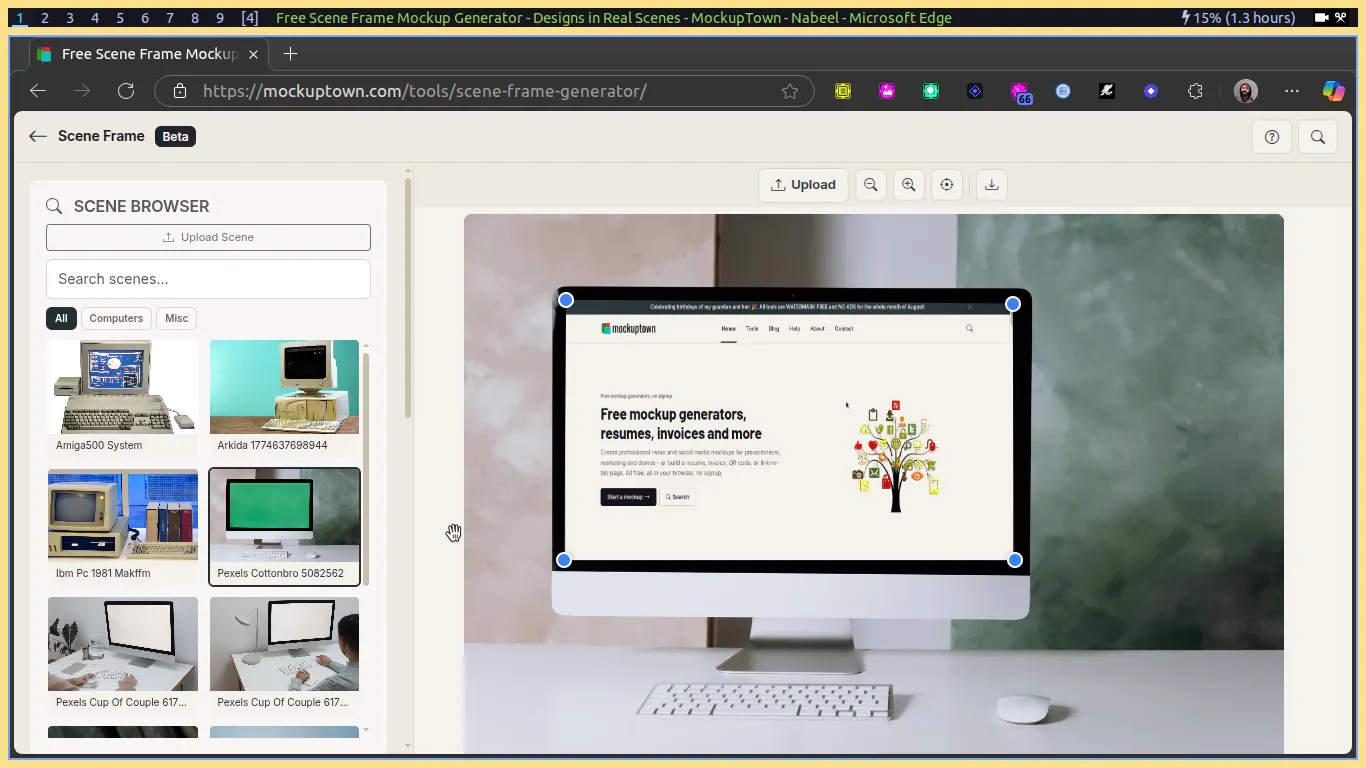
Scene Frame Mockup tool on MockupTown is like a lite version of Arkida. No installation required and works on mobile! https://mockuptown.com/scene-fra...
And there are many other useful tools on MockupTown !
ARKIDA: FREE INSTANT MOCKUPS & PRODUCT SHOTS
Arkida is the ultimate solution to turn your screenshots and images into stunning professional product shots and realistic scene mockups. It goes far beyond basic frames with powerful 4-point perspective warping, scene occlusion, AI enhancements and batch processing.
Most tools only place your image inside flat frames. Arkida integrates your work into real-world scenes with depth, realism, and precision.
🎯 PERFECT FOR
* App Store and Play Store screenshots
* Website and SaaS product presentations
* Social media and marketing content
* Product listings and e-commerce visuals
* Personal portfolios and pitch decks
🧩 KEY FEATURES
* Built-in SVG frame library for phones, laptops, browsers, and OS windows
* 3D rotation engine for realistic X and Y axis tilting
* Manual pan, zoom, and crop controls
* High-resolution export in PNG, JPG, and WebP
* Fully browser-based workflow with no setup required
* Privacy first, all processing happens locally on your device
✨ 4-POINT PERSPECTIVE WARPING
Map screenshots onto tilted screens, angled monitors, billboards, or any surface. The homography engine keeps everything sharp and properly aligned at any angle.
👁️ SCENE OCCLUSION
Place your screenshots behind objects in the photo. Whether it is a hand, a person, or any foreground element, Arkida makes the composition look natural and real.
🤖 AI-ASSISTED DETECTION & CREATION
Automatically detect screen boundaries or generate SVG frames using AI prompts. Fine tune with pixel-level precision using zoom and manual controls.
🎨 ADVANCED VISUAL EFFECTS (PLUS)
* AI Enhacements: Add glow, glare, and environmental reflections
* Stackable Filters: Apply layered artistic effects
* Shadow and overlay layers for depth and realism
* Expanded frame library for quick reuse
🌐 ONLINE FRAME REPOSITORIES
Connect external frame sources and community libraries. Instantly expand your mockup collection beyond the default assets.
🖼️ STOCK IMAGE INTEGRATION (PLUS)
Search and import visuals directly from Unsplash, Pexels, and Pixabay inside the editor.
⚡ INSTANT BATCH PROCESSING (PLUS)
Upload multiple images or capture all open tabs in one click. Apply frames in bulk and export everything as a single organized ZIP file.
🔒 PRIVACY FIRST: ALL LOCAL, ALL SECURE
Everything runs locally in your browser. No cloud uploads, no accounts, and no data leaving your device.
💸 MASSIVE LAUNCH OFFER
* 83% off during launch
* $1.99/month or $19.99/year
Elevate your presentation. Turn ordinary screenshots into premium, portfolio-ready visuals in seconds.
Arkida
Crafted by Nabeel Ali Hashmi
https://nabeelhashmi.com
Report
I’ve been spending way too much time creating App Store and Product Hunt visuals lately, so this couldn’t have come at a better time. The 4-point perspective and occlusion features really stand out—they make mockups feel like part of the scene instead of just screenshots inside a frame. Excited to try it. Congrats on the launch! 👏
ArkTabs
I’ve been spending way too much time creating App Store and Product Hunt visuals lately, so this couldn’t have come at a better time. The 4-point perspective and occlusion features really stand out—they make mockups feel like part of the scene instead of just screenshots inside a frame. Excited to try it. Congrats on the launch! 👏
ArkTabs
@dani_mashael Thank you!
And it also supports batch operations. You can create frame and apply on multiple images and screenshots in one go.