AppsManager

AppsManager

Show Desktop, close, restart, hide Apps & Keep app Visible

0 followers

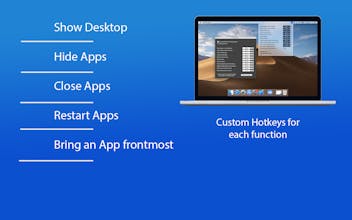
Organize your Workspace by handling apps with the press of a keyboard shortcut. You can hide all apps, Close apps, Restart apps, manage currently Active app and other apps except the active app. You can also Keep an app Frontmost using custom Hotkeys.
AppsManager gallery image
Launch tags:iOSMacProductivity
Launch Team
Anima - Vibe Coding for Product Teams
Build websites and apps with AI that understands design.
Promoted

What do you think? …

Lucian Boiangiu
Organize your Workspace by handling apps with the press of a keyboard shortcut. AppsManager is a very useful and easy to use tool to manage the applications and improve the fluidity of your Workspace. You can hide all apps for a better accessibillity of the Desktop, you can hide individual apps or every other app except the one you choose, close apps and frontmost app, restart apps and frontmost app. You can also select an app and bring it frontmost every time you want by the press of a hotkey. You can set any keyboard Hotkey / Shortcut you like for every function of AppsManager. The Hotkey can be a combination of keys or even a single key. Shortcuts can always be removed or reset to the default value from the preferences window. **Frontmost app is the app that is currently active/selected by the user. In other words it is the main focused app. **You must give the app permission in Security & Privacy -> Privacy -> Accessibility in order for some app managing events to work. **The hotkeys are saved automatically so that whenever you start AppsManager you will have your custom hotkeys ready to use. ------------ Features: ------------ • Hide all apps - Show Desktop - Hides all apps and shows desktop. You can also set the preference to minimize finder windows also • Hide all apps except frontmost - Hides all apps except the frontmost window, which is the window that is currently focused by the user • Hide frontmost app - Hides frontmost running application • Close frontmost app - Closes the frontmost app (app focused by the user) • Restart frontmost app - Restarts the frontmost app (app focused by the user) • Close all apps - Closes all running apps • Restart all apps - Restarts all running apps • Close all apps except frontmost app - Closes all apps except the frontmost app (app focused by the user) • Restart all apps except frontmost app - Restarts all apps except the frontmost app (app focused by the user) • Select app to bring frontmost - Saves the frontmost app, and then it can be brought frontmost any time by pressing the -Bring selected app frontmost- hotkey • Bring selected app frontmost - Brings frontmost the saved app from pressing the -Select app to bring frontmost- hotkey Let me know your opinion about the app and if you find it useful or if you have any suggestion or a new feature!