
Applygrid
Easily build professional ATS friendly resumes
12 followers
Easily build professional ATS friendly resumes
12 followers
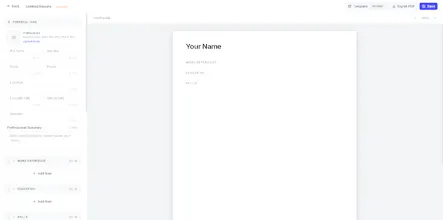
Most resume builders stop at the resume. Applygrid handles the whole application: build an ATS-friendly resume from 6 clean templates, then paste any job URL Indeed, LinkedIn, ZipRecruiter or search jobs right in the app, and the AI reads the posting and writes a tailored cover letter in seconds. One-click PDF export with no watermarks, available in 5 languages, and free to get started at $0.



Free Options
Launch Team

Viktor.comAn AI coworker that actually does the work
Promoted
Hey everyone! Solo maker here.
What inspired this: Watching friends job-hunt, I kept seeing the same thing. They'd put off applying for days because building a resume from scratch felt like a project in itself: fighting Word margins, second-guessing the layout, not knowing what sections to include or whether it would even survive an applicant tracking system.
The problem I set out to solve: Making the resume itself a non-problem. With Applygrid you don't create anything from scratch. Pick one of 6 clean, ATS-friendly templates, fill in your details, and the layout, formatting and structure are already handled. Drag sections around, add custom ones if you need them, and export a watermark-free PDF in one click. What used to take an evening takes minutes.
How it evolved: I started with exactly that, the resume editor: templates, real A4 layout, ATS-friendly formatting. But while testing it I noticed the next wall people hit was the cover letter, so I added a generator on top. Paste a job URL (Indeed, LinkedIn, ZipRecruiter and more), and the AI reads the posting and writes a letter tailored to it, linked to your resume. It started as an add-on and turned out to be a feature people really like. The app now also supports 5 languages and includes a library of profession-specific resume guides.
Free to start. Feedback is very welcome, on the templates especially.
How does the AI actually tailor the cover letter when you paste in a job URL, does it pull the full description or just skim the top of the posting?
@abdulsametvgoc It fetches job title, company name and job description. Then it uses your resume to write a cover letter with a length you choose in the native language of the job posting. It's more so a bonus feature
How does the AI actually tailor the cover letter to match what the job posting emphasizes, and does it pull from my resume content or rewrite things from scratch?
Pasted a LinkedIn job post and the cover letter came out surprisingly specific, not the usual fluff. The templates look clean too, way better than the word soup most resume tools spit out.
Pasted a LinkedIn posting and got a cover letter that actually sounded like me, not generic filler. The six templates are clean and the PDF export had no watermark which is rare these days.
Love that it parses the job listing directly from the URL instead of forcing you to paste the description, that's the kind of small UX choice that turns a chore into a 10-second task.