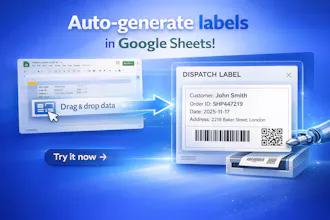
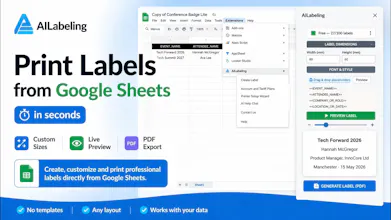
Most businesses already manage product data in spreadsheets, but still create labels manually in separate software. AILabeling turns Google Sheets into a label generation system: design templates, connect fields to columns, generate barcode and QR labels, and export print-ready PDFs with exact dimensions — all without leaving Sheets.
No reviews yetBe the first to leave a review for AILabeling
Maker
📌
Hey Product Hunt 👋
I built AILabeling after repeatedly seeing the same problem in warehouses, product teams, and small businesses: product data already lived in spreadsheets, but label creation still required separate desktop software, manual copy-pasting, and complicated print setups.
I wanted a simpler workflow:
* keep product data in Google Sheets
* design labels visually
* generate print-ready PDFs automatically
So I created a Google Sheets add-on that turns spreadsheet rows into barcode, QR code, and product labels with exact physical dimensions.
One thing I focused heavily on was real printing workflows — not just “mockup labels,” but PDFs that can actually be printed reliably on label printers.
AILabeling includes Free, Starter, Pro, and Business plans. For early adopters, I currently activate Pro plan manually after registration and add-on installation. It gives me a chance to work directly with users, see real labeling workflows in action, and shape the product around actual printing needs instead of assumptions.
Would love to hear:
* how you currently create labels
* what printing workflows are most painful
* which integrations or export options you'd want next
Happy to answer any questions and appreciate all feedback 🙌