
AiFileStudio.PRO
24 browser-based PDF, image & AI tools. No uploads.
8 followers
24 browser-based PDF, image & AI tools. No uploads.
8 followers
AiFileStudio.PRO is a free collection of 24 PDF, image, and AI tools — merge, split, rotate, crop, watermark and compress PDFs, resize and compress images, remove backgrounds from photos, generate QR codes, barcodes, favicons and passwords, and more. Almost everything runs entirely in your browser using pdf-lib, Tesseract.js, and the Canvas API — your files aren't uploaded to a server. The only exception is the AI Art generator, which calls a third-party image API (clearly labeled).



Launch Team

Framer AI AgentsDesign and publish professional sites with AI
Promoted
AiFileStudio.PRO
Keeping everything browser-based with no uploads is a compelling privacy angle. Which workflow do users end up using far more than you originally expected?
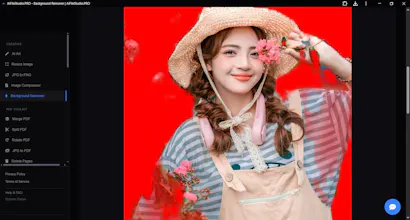
@aryan787544 Real numbers now that a few hours have passed — genuinely surprised so far: Reorder PDF Pages is getting more traffic than I expected relative to the "obvious" tools like Merge/Split. And people spending real time on Background Remover (~3 min average) suggests it's actually being used, not just clicked out of curiosity. Still very early/small numbers though, will know more as the day goes on.
@reena_yadav4 That's actually a really interesting signal.
Reorder PDF Pages outperforming Merge/Split suggests users may be solving more specific workflow problems than searching for generic PDF tools. Those early surprises often end up shaping the product more than the original roadmap.
I'll be curious to see if that pattern still holds after a few more days of data.
@aryan787544 That's a good way to put it, and it matches something I noticed while building this — Reorder/Delete Pages needed the most iteration of any tool (went through a few rounds getting the page-picker UI right instead of just typing page numbers). Makes sense in hindsight that a tool solving a specific annoyance ("my scan came out backwards") beats a generic one people could get from 10 other sites. Will report back once there's more data — genuinely curious if this holds or if it's just early-adopter bias from the PH crowd specifically.
@reena_yadav4 I'd genuinely be interested in hearing how that evolves.
I've been thinking quite a bit about products that win by solving one very specific workflow instead of becoming another general-purpose tool, and I'd rather share those thoughts over email than in a public thread.
If you're open to it, what's the best email to reach you?
The fact that almost all the tools run right in the browser without uploading anything is a huge plus for privacy. Used it to merge a few PDFs and the whole thing worked faster than I expected.
@lker7bkg That's great to hear, thank you! Merge PDF being fast was actually something I paid attention to — since it's all running on your device rather than round-tripping to a server, it should generally feel snappier than upload-based tools. Glad that held up in practice.
A local OCR option using Tesseract.js would round this out nicely, so even the text extraction tool can stay 100 percent in-browser like the rest.
@eminejyic Good news — this already exists! The OCR: Image to Text tool runs entirely on Tesseract.js in-browser too, same as everything else — no server involved. It's probably just not obvious from the homepage that it's there. Appreciate you flagging it though, tells me I should make that tool more visible/findable. Would love if you gave it a try and let me know how it performs for you.