
Aicono is a lightweight Windows utility that automatically groups and arranges desktop icons by semantic similarity, turning a cluttered desktop into a stable, high‑density grid that stays organized over time. It uses a fast local model for name/content similarity and a grid‑like layout for quick visual scanning, with adjustable spacing, filters, and WYSIWYG for instant access.

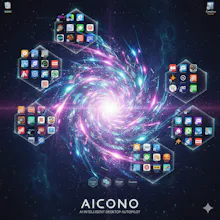


🔥 Say goodbye to desktop chaos – Aicono uses cutting-edge AI to automatically group and arrange your icons! 💪
🤖 What is Aicono?
Aicono is a Windows-only freeware app that uses the latest AI technology to automatically group desktop icons by category (e.g., "Work," "Games," "Utilities") and arrange them neatly without overlaps in a customizable desktop area. Fine-tune with a visual preview tool! 🧠 No more manual dragging or cluttered screens.
⭐ Key Features
🧠 AI-Powered Grouping: Automatically categorizes icons logically into groups like Work, Games, Utilities
🎛️ Customizable AI: Supports Llama (default), Ollama, or custom models for grouping
📐 Intelligent Layout: Sophisticated spatial algorithm arranges icons neatly, no overlaps
📍 Customizable Area: Select specific desktop regions for icon placement
👁️ Visual Preview (WYSIWYG): See the new layout before applying changes
📦 Portable App: No installation required – just run and go!
💰 Freeware: Free community edition
🎯 Who is Aicono For?
Aicono targets frustrated Windows users with cluttered desktops – gamers, students, professionals, and AI enthusiasts who want productivity, clean design, and a free solution to everyday chaos. 💯
🎮 Gamers: Group game icons neatly for quick access without desktop mess
📚 Students: Organize study files and apps in logical categories
💼 Professionals: Keep work tools grouped and arranged for efficiency
🤖 AI Enthusiasts: Experience advanced AI in a practical, free tool
⚙️ How Does It Work?
🧠 Fully automatic & user-friendly! Aicono runs in the background and:
👁️ Scans desktop icons in real-time
🧠 Uses AI to categorize (Work, Games, etc.)
📐 Applies spatial layout without overlaps
👀 WYSIWYG: Offers preview for fine-tuning
🔧 Customizes to your needs with area selection
🏆 Why Aicono?
Unlike basic Windows tools or manual methods, Aicono delivers AI-driven elegance and efficiency: 🎯
⚡ Instant Results: Scan, group, arrange – done in seconds
🔒 Safe & Portable: No installation, no system changes
🧠 AI-Optimized: Leverages modern models like Llama for smart grouping
💰 100% Free: Core features forever free, no subscriptions
🛡️ Lightweight: Minimal resource use, runs smoothly
🔧 Technical Features
🧵 AI Integration: Supports Llama, Ollama, and custom models
📋 Spatial Algorithm: Advanced layout without overlaps
🎛️ GUI Preview: Visual tool for layout adjustments
🔄 Event-Driven: Responds to desktop changes
🐞 Logging: For troubleshooting and optimization
⚙️ Configurable: JSON-based settings for areas and models
💡 Installation & Setup
🚀 3 simple steps to a clean desktop:
📥 Download: Get the Aicono-v1.0.0.zip archive
📂 Extract: Unzip to any folder
▶️ Run: Double-click Aicono.exe – start organizing!
🎯 Pro Tip: Configure your AI model and desktop area in the settings for best results!
🌟 Why Aicono Stands Out
Aicono offers a 🎪 complete AI suite for desktop mastery:
🧵 Multi-Model Support: Llama, Ollama, custom for flexible grouping
📨 Cache System: Speeds up repeated scans
🔄 Real-Time Updates: Adapts to new icons instantly
📊 Category Detection: AI analyzes icon types and names
🎚️ Area Config: JSON-defined desktop regions
🔐 Secure: Local processing, no data sent out
🚀 Practical Usage Examples
💡 Aicono shines in real life:
🎮 Gaming Setup: Groups games in one area, clears rest for quick access
📁 File Organization: Sorts documents by project categories
💼 Work Mode: Arranges tools in a compact desktop zone
😴 Idle Cleanup: Auto-arranges after sessions
👨🎓 Student Life: Groups school apps and files neatly
📋 System Requirements
💻 OS: Windows 10/11 (64-bit)
🧠 AI Support: Optional local LLM (Llama/Ollama) or basic grouping
💾 RAM: Minimum 2GB (more for AI models)
💽 Storage: ~1GB for app + models
⚡ Permissions: Standard user for desktop access
Aicono follows 🛡️ modern standards:
🔐 MD5 Verification: Ensures download integrity
✅ Tested: For Windows stability
📦 Portable: No registry or system files touched
Hompage & Download
New: MS store link !