Stop feeling overwhelmed by AI. "AI in a Day" is a highly actionable PDF guide built for non-technical professionals. Learn how to automate daily tasks, look smarter in meetings, and build a modern workflow—no coding required.
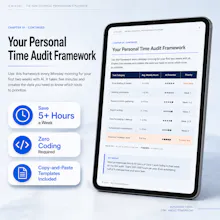
You don't need to become an AI expert to become significantly more productive with AI.
You don't need to learn Python. You don't need to understand APIs. You don't need a complicated automation stack with 17 different tools connected together.
You may simply need to stop doing certain tasks manually.
But here's the interesting part: you probably don't need AI to save you five hours in one dramatic breakthrough.
You might get there by saving 10 minutes on email, 20 minutes on meeting follow-ups, 30 minutes on research, 45 minutes on a weekly report, and another hour scattered across repetitive tasks.
Yet it's surprisingly easy to end up with the opposite.
You start with one AI assistant. Then you discover another tool that's better at research. Another that summarizes meetings. Another that creates presentations. Another that manages tasks. Soon you're saving prompts in your notes app, browser bookmarks, documents, and somewhere you can no longer remember.
No reviews yetBe the first to leave a review for AI in a Day
Maker
📌
Hey Product Hunt! 👋 Every day there is a new AI tool, a new framework, or a new prompt engineering trend. If you aren't a programmer, it's exhausting to keep up, and it's easy to feel left behind.
I wrote AI in a Day to fix that. This isn't a book about complex math or coding. It is a straight-to-the-point, highly practical playbook designed for everyday professionals. It shows you exactly how to plug AI into your current workflow to automate tedious tasks, save hours every week, and look like the smartest person in the room.
To celebrate the launch, I've set up a special discount for the Product Hunt community on Gumroad today. I'd love to hear: what is the most repetitive task in your daily job that you wish you could automate right now?
Report
Skimmed it over coffee and the section on meeting summaries actually feels usable, not just hype. Wish there were a few more workflow examples for solo freelancers though.
@cornell_juliana It's available. Check this out https://ricozeb.gumroad.com/l/Aisolofreelancer