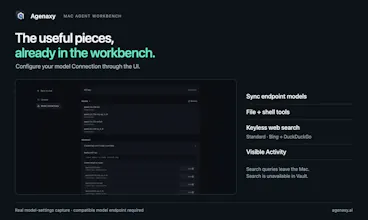
Connect Ollama, LM Studio, or a compatible endpoint to a Mac workbench with file tools, keyless web search, and visible Activity. For sensitive tasks, Vault restricts model calls to your chosen Connection and blocks Agent script networking.
Hi Product Hunt — I’m the maker of Agenaxy.
You have Ollama or LM Studio running. The next question is: how do you give that model a useful set of tools and a place to work?
Agenaxy brings those pieces together in a Mac app. Add your model Connection in the UI, select files for a Chat, and ask for a deliverable. File tools, shell execution, and readable Activity are built in. Standard includes web search without a separate search API key or search-server setup.
For sensitive tasks, switch to the separate Vault workspace. You explicitly authorize the model Connection. The Agent’s web tools are removed, and macOS blocks network access from Agent-run scripts. Approving an action cannot open that network boundary. An authorized remote model still receives the context assembled for its call.
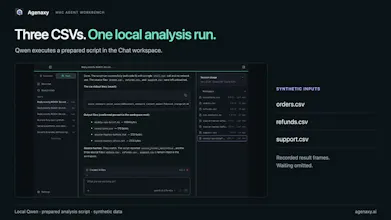
The gallery shows a local Qwen run that executed a prepared analysis script over three synthetic CSVs and saved a Markdown report plus an exceptions file. All three source hashes matched before and after. A separate network test shows Standard reaching a test receiver while Vault is denied.
The scope is focused: this beta does not include browser control, schedules, or a broad connector catalog. You still need to run a compatible model endpoint or supply provider credentials.
The beta is free for Mac. Remote-provider usage is billed by the provider.
If your local model is already running, what would you want it to do with your files first?