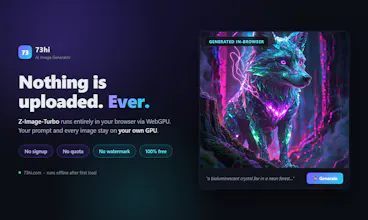
Generate images with AI in your browser. Z-Image-Turbo runs locally on WebAssembly and WebGPU after a one-time download from Hugging Face. No upload, no signup, no watermark.
Hey PH! 👋 I'm the maker of 73hi, a collection of free browser tools
that run entirely on your device.
Why I built this
----------------
Every "free" AI image generator I tried had the same catch: your
prompt goes to someone else's server, gets logged, gets rate-limited,
and comes back with a watermark. I wanted to flip that completely —
so I packaged Z-Image-Turbo as INT4 ONNX and shipped the entire
diffusion pipeline to run client-side with WebGPU.
How it works
------------
- First visit downloads ~5.5 GB of model files straight from Hugging
Face (not from my server) and caches them in your browser
- Your prompt is encoded, denoised and decoded 100% on your own GPU —
the 73hi server never sees a single character
- Full control: 512/768/1024 resolution, steps, guidance and seed, so
any image is exactly reproducible
- PNG download, no watermark, no account, no daily limit
Honest requirements
-------------------
- Chrome or Edge 130+ with a GPU that has WebGPU f16 support
- The first load takes a few minutes (it's 5.5 GB)
- 1024×1024 needs a lot of VRAM — start with 512×512 if you're unsure,
768×768 is the sweet spot on most cards
One thing I want to be transparent about
----------------------------------------
Because nothing is uploaded, I technically *can't* see or filter what
the model produces. That's why the page requires an 18+ confirmation
before generating, and why you're responsible for what you create.
Privacy cuts both ways — I chose to give it to you.
I'm happy to answer anything about WebGPU, ONNX quantization, or what
it took to squeeze a diffusion model into a browser tab. Ask away!