Launched this week
Zush

Zush

Rename and auto-tag images on macOS using AI file analysis

57 followers

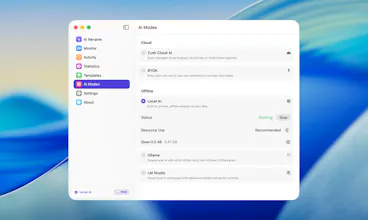
Zush is a macOS app that ends image folder chaos. AI-powered renaming transforms IMG_1234.jpg into descriptive names like Mountain_Lake_Sunset.jpg Two modes: Auto-pilot monitors folders 24/7 and renames new files automatically. Batch mode processes hundreds of files instantly. Features: Finder tags for Spotlight search, custom naming patterns, RAW support (CR2, NEF, ARW, DNG...). Native Swift — just 14MB, blazing fast. For designers, photographers, content creators, marketers and SMM.
Zush gallery image
Zush gallery image
Zush gallery image
Zush gallery image
Zush gallery image
Zush gallery image
Free Options
Launch Team / Built With
Intercom
Intercom
Startups get 90% off Intercom + 1 year of Fin AI Agent free
Promoted

What do you think? …

Kirill Isachenko

Hey everyone! 👋

I'm Kirill, the solo maker behind Zush. As a designer and developer, I was drowning in thousands of files named IMG_1234.jpg and DSC00567.png. Finding anything was a nightmare.

I tried existing tools, but nothing worked fast enough for batch processing or handled RAW files well. So I built my own app.

The toughest decisions were:
Local AI vs cloud APIs: chose cloud for speed (files processed in seconds, not minutes)
Tauri vs native Swift: went native to keep it at 14MB with minimal resources

One thing I'm really proud of is the speed optimization. Zush handles heavy files and batches of hundreds of images supafast (© to @zanderwhitehurst). It's still early access, so there might be some bugs — but I'm fully committed to jumping in and fixing things fast.

Whether you're a designer with tons of screenshots, a photographer with RAW libraries, or a developer documenting bugs — Zush should save you hours.

Would love to hear what features you'd find most useful!
Drop your feedback here or on our roadmap: https://zush.canny.io/

Cheers! 🥃
Kirill

Easy Tools Dev

The choice between local AI vs cloud APIs is interesting - going with cloud for speed makes sense when you're dealing with batch processing of RAW files. I've definitely experienced the pain of thousands of IMG_1234.jpg files cluttering my Downloads folder. The auto-pilot mode that monitors folders 24/7 is clever for continuous workflows like client deliverables or daily screenshot dumps. Native Swift keeping it at 14MB is impressive compared to Electron alternatives. Does the Finder tagging work with existing tag hierarchies, or does it create its own separate tag namespace?

Kirill Isachenko

@easytoolsdev Thanks for the kind words and the great question! Zush uses the native macOS Finder tags API, so tags integrate directly with your existing tag hierarchy — they appear in Finder's sidebar (All tags) and work with Smart Folders. No separate namespace, just standard macOS tags. Zush also writes to Spotlight comments, so everything is searchable system-wide.

Jagdish Vasania
Hi congratulations on launch. Any plans for windows app?