Zones

Zones

An app to organize your life into different tasks

5 followers

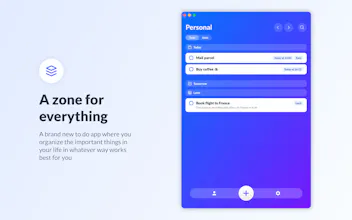
Over the past 6 months I've been spending my spare time working on what will likely be my last app for a while. It's called Zones and it's designed to organise all the important parts of your life into separate zones with their tasks, subtasks and ideas.
Zones gallery image
Zones gallery image
Zones gallery image
Zones gallery image
Zones gallery image
Zones gallery image
Zones gallery image
Zones gallery image
Zones gallery image
Zones gallery image
Zones gallery image
Zones gallery image
Zones gallery image
Zones gallery image
Zones gallery image
Zones gallery image
Payment Required
Launch tags:iOSiPadMac
Launch Team
AppSignal
AppSignal
Built for dev teams, not Fortune 500s.
Promoted

What do you think? …

Cristian Moisei
Hello Product Hunters, over the past 6 months I've been spending my spare time working on what will likely be my last app for a while. It's called Zones and it's designed to organise all the important parts of your life into separate zones with their tasks, subtasks and ideas. Check out the app store promo video: https://youtu.be/j4oUPGk_xdo *Zones is 50% off until the end of the month.* Here are some of the highlights: # Natural language processing # Save to dos, subtasks and ideas # Focus timer # Widgets # iCloud sync across all your devices # Scorecard # Highly customizable # Dark mode It's available on iOS, iPadOS and macOS. I would love to know what you think.
Deepak Yadav
@cristianmoisei Wonderful product.
Cristian Moisei
@worklab Thanks Deepak, I'd love to know what you think if you try it. What are you using to stay on top of tasks now? Do you think this is something you could integrate in your workflow?
Ken Moo
@cristianmoisei Looks sleek. Man this app deserves to be the top. Upvoted! Is there an ETA for andriod and web app?
Cristian Moisei
@ken_moo Hey Ken, I'm glad you like it. Is this something you'd see yourself using? The Android and Web versions depend on how the app does. I'm doing this myself and I can only code in Swift, so the app would need to do well enough to afford working with a web/Android developer.
Ken Moo
@cristianmoisei Absolutely. Everything needed for productivity is right in the app. But what would deter me from using it is a lack of integration. I would want to integrate it with my everyday apps. For example Google Calendar. And hopefully Zapier to hook up my project management tool as well. If on the web app, it also comes with a bookmark manager that'll be amazing. I've no mac to try this out but looking forward to check it out on Andriod/ webapp. All the best!
Cosmin Cristian Ababei
Any plans for Android support?
Cristian Moisei
@cosmin_cristian_ababei Hey Cosmin, the app is currently available on iOS, iPadOS and macOS. There are no plans for an Android version at the moment but this could change in the future.
Michael Dois
Where is the usp? There are so many todo lists out there. Cool Hobby project (and hopefully you learnt a lot) but nothing I would rely on and use...
Cristian Moisei
@michidois Hey Michael, the USPs are: - no subscriptions, you just pay once and get the app - things are organised in Zones, so this is a mental model that people I tested with found more helpful - several features that make this fast and easy to use, such as natural language input, keyboard shortcuts and gestures, scoring and sorting tasks by difficulty, quickly saving ideas, the focus timer, etc. I know the productivity space is very competitive and I'm not looking to dethrone the big guys with this, just to provide a nice app that some people will find helpful and can use without needing to subscribe to it).
Krishna
I’ve been beta testing this app for a while. It’s a solid app for those who want to organise stuff.
Cristian Moisei
@krjsn Hey Krishna, good too see you here, and thanks a lot for all your help and feedback during the beta period.
Alex Doda
Love it! Just like the older yellow goals app you launched a while ago. How does iCloud sync work? I got both the macOS and the iOS apps but it doesn't look like things are syncing real time. Thanks!
Alex Doda
Looks like there’s a zones.json and a zones 2.json file in iCloud Drive. Is the app supposed to run a merge between the two or is there only supposed to be one? Because I can only see the macOS tasks as if they were local, and the iOS tasks separate as well.
Cristian Moisei
@abrupted Hey Alex, syncing is automatic but it can take a while of the OS decides there are more important things to sync or the battery is low on iOS. You can pull down to refresh or even check the status of the files in the Files app / iCloud Drive folders. Unfortunately there is no way for an app to tell the OS when to upload something. Pulling to refresh does trigger a download though. I hope this helps and I hope Zones will be helpful for you.
Alex Doda
@cristianmoisei Tried that but it looks like it's storing data in two separate places entirely. Is there any way to check if it's actually connected to iCloud Drive properly? Also, a few other bugs I noticed, besides iCloud sync not working: - When adding a new task on macOS and pressing Enter, it will get added to the Personal zone regardless of the zone you're on. - Unable to see completed tasks. - The app doesn't break down tasks by day (like in your screenshot where it shows Today, Tomorrow, etc.) and doesn't sort them by date. - Widgets often show "Edit this widget to select a zone" even if you already configured them. - The macOS icon won't change when picked via settings. - Swipe left/right gestures don't always trigger on macOS. It would be nice to change Zones via Left/Right keyboard keys as well.
Cristian Moisei
@abrupted Hm, let's look into this. Please reach out to cr.moisei@gmail.com The first thing I can think to check is if you are signed in with the same iCloud account on both devices and have iCloud Drive enabled. It would help if you shared a screenshot of what the Files app / iCloud Drive folders look like. Thank you for flagging the other points: - I will investigate the tasks being added to the wrong zone on macOS issue. - Completed tasks are accessible from Settings > Edit Zones > Completed Tasks. Is there a place that you think would have been more intuitive? - Grouping tasks by date is also something you enable from Settings > Edit Zones. This can be configured on a per zone basis, so some zones can have a timeline and tighter management, while others are just a simple list of things to do. - Unfortunately it's not possible to change icons on macOS. It looks like this option made it to Settings so that's my mistake. If you'd like to change the icon manually I'd be happy to share the .icns file if you have one you like, but it has to be manual on macOS, Apple didn't make this feature available yet. - Arrow keys to switch between zones are a great idea and I'll include this in the next release.
Cristian Moisei
@abrupted Apologies, I didn't see your other comment about zones 2.json That means iCloud got confused because two devices tried to write to that at the same time and the app was just installed so it had other data to sync. If you delete the one you don't need this should clear out the conflict and things will go smoothly from there.
Hanna S
dude, I wanted to download your app on my iPhone but App Store says it's incompatible with iPhones, and the list of compatible devices says "requires macOS 11.00 and newer" and when I open it on my MacBook it says "Designed for iPad", macOS 11 and higher etc, and iOS 14.1 and higher. how is that possible? (my iPhone has version 14.6 installed)
Cristian Moisei
@kate_austen hey Hanna, are you looking at the iOS version? The link for that is here https://apps.apple.com/us/app/id... Does this work? If not does searching for the full name 'Zones - Organize your life' straight from the app store work? I'd love to know what you think when you try it.
Evelina Radoycheva
Looks great! Congrats! And I'm sure many Android users would appreciate it too if you decide to go that direction.
Cristian Moisei
@eve_rad Thank you.
1234
Next
Last