
Launched this week

xshell
Claude Code CLI Session Manager
3 followers
Claude Code CLI Session Manager
3 followers
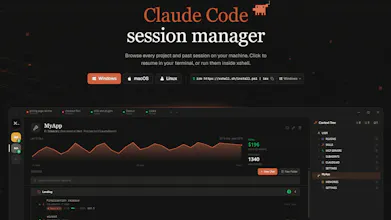
Managing Claude Code sessions across projects means constant cd-ing and lost context. xshell puts every project, past session, and cost in one native window. One click resumes any session with full scrollback. Not a wrapper — it spawns the real CLI as a subprocess.
Hey Product Hunt 👋
The problem
I use Claude Code every day across a dozen projects. The official CLI is great, but managing it across projects means constant cd-ing, running claude again, then forgetting which terminal had the half-finished refactor. Sessions live in ~/.claude/ as JSON, but there's no UI to browse or resume them.
What I built
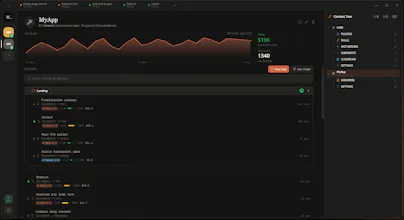
xshell is a native desktop app that puts every Claude Code session, project, and cost in one window. Pick any past session from the sidebar and resume it with one click — full scrollback intact, no --resume gymnastics.
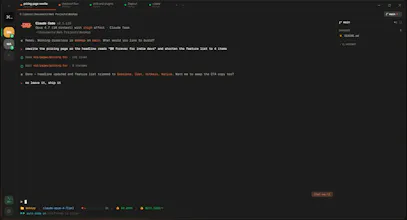
It's not a wrapper or proxy. It reads the same files the official claude CLI writes to ~/.claude/ and spawns the real CLI as a subprocess. If claude works on your machine, xshell works.
Why it's different
- One window for every project and past session
- Real splittable terminals (xterm.js + native PTYs)
- Live git branch and worktree per session
- One panel for skills, agents, plugins, MCP servers, hooks, slash commands, CLAUDE.md
- Cost, context, and rate-limit tracking per session and account-wide
Who it's for
Anyone running Claude Code daily across multiple repos — solo devs juggling side projects, engineers working across services, anyone who's lost track of a session.
Check it out
👉 https://xshell.sh
🐙 https://github.com/MertPROJ/xshell
Built with Tauri 2 + Rust, native on Windows, macOS, Linux. MIT licensed.
Feel free to drop questions, feedback, or feature requests in the comments — I'll be around all day 🙌