WP Paint

Advanced WordPress Image Editor Plugin

0 followers

Meet WP Paint - the powerful, user-friendly and light-weight advanced image editor plugin for WordPress. Now you can easily crop, resize, rotate, add texts, shapes, apply effects (blur, gradient) and do more to your WordPress images using this plugin.
WP Paint gallery image
Launch Team
Famulor AI
Famulor AI
One agent, all channels: phone, web & WhatsApp AI
Promoted

What do you think? …

John Bauer
I found this plugin to be very useful and easy to use. It has a simple design similar to that of Photoshop. As a blogger, I use it to crop, resize my images, and also to create banners using the text tool. This saves a lot of time. You need not rely on any other tool or plugin.
ZetaMatic
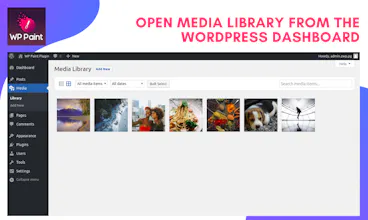
Hey Product Hunters! We're super excited to introduce the WP Paint - Advanced WordPress Image Editor plugin! We have designed it to look and work similar to most PC / Mac image editing software for ease of use. WP Paint has a long list of tools and features that allow you to crop, rotate, resize your images, and you can use different layers to handle your editing. You can insert text, shapes, lines, circles with as much ease. Also, adjust the brightness, contrast, add blur, sharpness, gradient colors to your images without needing an external image editor. We would love to hear your feedback, know which tools you would love to use more. We are happy to answer your questions. How to get started with WP Paint? - Download and Install the plugin from WordPress: https://wordpress.org/plugins/wp... - Goto Media Library, choose the image and select Edit Image using WP Paint - You’ll be redirected to the Dashboard. Choose the desired tool and start using it right away! - Check out our YouTube channel to learn more on how to use it: https://nnet.co/zetamatic
Varun Nair
@zetamatic It can be really helpful for wordpress developers to make simple design changes
John Bauer
@zetamatic @iamvarunnair Yes, it is. Also, It's quite easy to use and takes much less resources, and there are so many useful features available in the free version.
Varun Nair
@zetamatic @john_bauer1 I am looking forward to use it and will give you valuable feedback. Thank you for this wonderful product.
Đình Khang Trần
Nice :D
Vineta Gajevska
Whoa this looks cool, gotta try and come back with feedback! Well done guys!
Ujjwal Chaturvedi
wow impressive
Hugo C
Nice job, looks easy to use!