

Wizper
Never Freeze: Invisible Meeting AI with Custom Personas
6 followers
Never Freeze: Invisible Meeting AI with Custom Personas
6 followers
Wizper is an invisible AI assistant that guides you in any meeting. Create custom personas in seconds to act as your Sales Closer, Interview Coach, Marketing Strategist, Exam Helper and much more. Get sub-second answers in a screenshot-proof private overlay on Windows/Mac—invisible even when sharing your screen on Zoom/Teams/Meet. Handle tough questions, objections, and exams without freezing. Your SS & audio will be analyzed, and context aware answers will be given. Try free: 3 Pro credits.
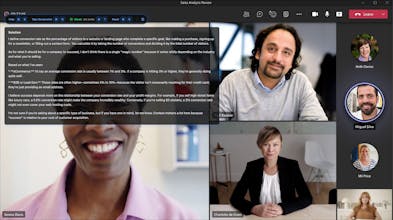


Hey Product Hunt!
I built Wizper because I kept freezing in important conversations—promotion talks, live demos, salary negotiations... you name it.
As a non-native English speaker and engineer, I'd prep with AI before meetings, but in the moment? It was too slow. Switching tabs or looking at another screen mid-share looked weird. I needed answers invisibly, instantly, on my screen.
I started using Wizper, and I finally was able to land the promotion I'd been chasing for 1 year and 9 months!!
Then I realized: if I make custom personas (so you can write your own prompts), everyone can use it:
Sales Reps handling objections
Marketers pitching live
Students in exam prep.
Job Hunters in interview prep.
🎁 PH Launch Exclusive
Free Trial: Your first 3 Pro requests are free (no card needed).
50% Off on the first month for all subscriptions: Use code PH50 on any subscription.
How to start:
Sign up at wizper.io
Select a persona (or write your own!) on the site
Download the app (Windows/Mac) and start winning your meetings instantly!
P.S. Mac users - we're still waiting on Apple's approval stamps, so the Mac build is currently unsigned and Beta! If you see an error, we included a quick terminal command to get you running. Thanks for bearing with us!
Feedback is welcome! 👇