
Launching today

VCaptio
AI subtitles for 99 languages — transcribe, edit, export
2 followers
AI subtitles for 99 languages — transcribe, edit, export
2 followers
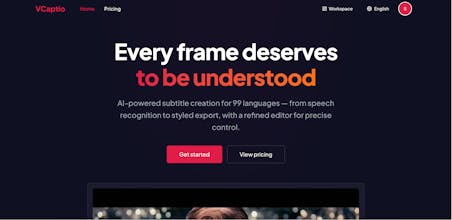
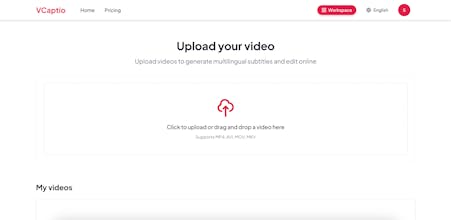
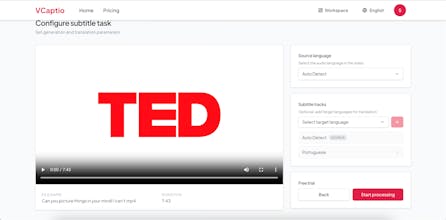
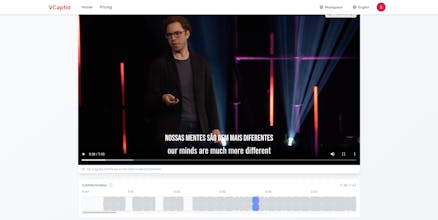
VCaptio is an AI-powered subtitle platform that handles the full workflow — from speech recognition to styled export. What makes it different: - Visual drag-and-drop timeline editor — not a raw text file - Full style control: font, color, stroke, shadow, position - Context-aware AI translation that preserves tone - Export at original video quality Free to try (15 min/month, no credit card). Pay-as-you-go after that — $0.03/min.
Hey everyone, I'm the maker of VCaptio. Thanks for checking it out.
Quick backstory: I create bilingual video content and spent way too much time on subtitles. The loop was always the same — transcribe the audio manually, fix the timing line by line, export, then do the whole thing again for a second language. I tried a bunch of tools but they all felt like they solved half the problem. Some had decent transcription but terrible editors. Others had good editors but no translation. None of them let me preview styled subtitles in real time before exporting.
So I built VCaptio to handle the full pipeline in one place.
A few things I'm proud of:
- The timeline editor. You drag subtitle blocks to adjust timing and see the result immediately on the video preview. No more guessing whether your subtitle shows up at the right moment.
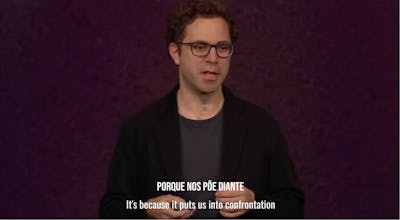
- Translation quality. I spent a lot of time on prompt engineering to make the AI understand context rather than translating sentence by sentence. It handles idioms and technical terms much better than generic machine translation.
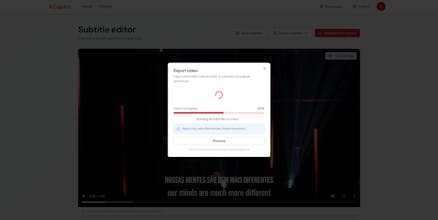
- The export. You get the original video quality with subtitles burned in. No re-encoding artifacts.
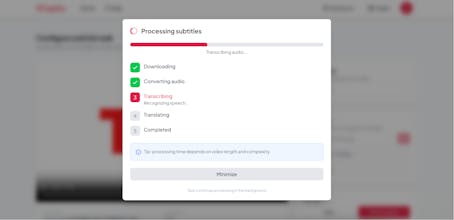
Tech stack for those curious: Next.js 16 on the frontend, FastAPI + Celery + Redis on the backend, ffmpeg for video processing, and AI models for speech recognition and translation. Video files are stored on cloud object storage. The whole subtitle rendering pipeline runs asynchronously so you don't have to sit there waiting.
What's next:
- Speaker diarization (identifying who's speaking)
- Batch processing for multiple videos
- Better handling of overlapping speakers and background noise
- API access for developers who want to integrate subtitle generation into their own tools
I'd genuinely love to hear what you think — what's useful, what's not, what's confusing, what's missing. I read every comment and reply to all of them.
Thanks for your time.