
UptimeEye
Know the moment your app breaks
20 followers
Know the moment your app breaks
20 followers
Monitor critical flows, APIs, and websites with 30s checks and instant alerts. Built for devs who fix problems before support tickets happen.
This is the 2nd launch from UptimeEye. View more
UptimeEye
Launched this week
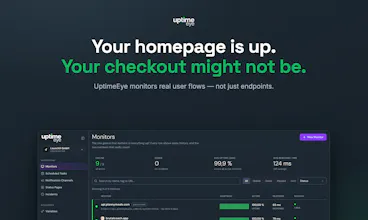
Ping monitors say "all good" while your login, checkout or API flow is silently broken. UptimeEye runs your real user flows every 30 seconds — multi-step checks, cron job monitoring, status pages, instant alerts. EU-hosted, free tier included.


Free Options
Launch Team

One thing I'd love to see is a status page widget you can embed on customer-facing dashboards, so end users can see real-time uptime without bothering support. Would make the alerting loop feel even more proactive.
@feyzar7vk Love this idea. Good news: UptimeEye already includes an embeddable status page widget for exactly this use case. You can add real-time status directly to a customer-facing dashboard, so users don’t have to visit a separate status page.
Your comment is also useful feedback for us: we clearly need to make this feature more visible. Would love to hear what kind of dashboard or product you’d embed it into.
love how the 30 second check interval is front and center on the landing page. honestly that detail tells me the team actually builds for devs who care about catching stuff before it becomes a fire, not just checking a feature box.
@gzde116632 Thanks, Gözde! That was very intentional. When something critical breaks, the difference between checking every few minutes and every 30 seconds can mean finding out before users start opening support tickets. We wanted that to be clear immediately rather than buried somewhere in a feature list.
The 30-second checks are genuinely fast, and the alert flow feels clean without burying you in settings. Wish I'd had this during that last API incident.
@aclan_gokh81076 Thanks, Gökhan!
Out of curiosity, what happened during that API incident - was the endpoint completely down, or was it still responding but returning the wrong data? The second case is exactly where we see basic ping monitors miss problems.
The dashboard layout here is genuinely clean, no clutter, no upsell tiles fighting for attention. That kind of restraint is rare in monitoring tools and makes a real difference when you're triaging at 2am.