Navigate chapters, fast forward, rewind, control volume, speed, and more with an unlimited number of custom mouse and keyboard shortcuts. Balance sound levels across different videos by making quieter videos louder, mono mix, high pass filter, and much more.
No reviews yetBe the first to leave a review for Tweaks for YouTube
Maker
Hi everyone!
Improve your YouTube experience and productivity with many tweaks this extension provides. Here are some cool features:
Mouse Control
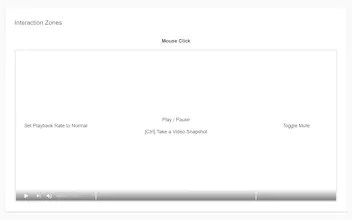
You can interact with the video element using a mouse wheel and buttons.
By scrolling or clicking over different video zones you can adjust volume and speed, fast forward and rewind by the custom amount of seconds, frames, or percentage, and much more - currently 20 different actions are available. And interaction zones are fully customizable too!
Keyboard Control
- global keyboard shortcuts: next/previous chapter, next/previous video, seek forward/backward, toggle play, increase/decrease volume, enter picture-in-picture
- unlimited number of custom local keyboard shortcuts
Audio Processing
Turn on the "Auto Gain" feature to balance sound levels across different videos by making quieter videos louder. If one of the audio channels is missing, quieter, or louder, turn on the "Mono Mix". For the muddy audio with too much bass use the "High Pass Filter".
Video Chapters Navigation
- use the middle mouse button or double click on the progress bar to navigate to a specific chapter beginning
- use mouse and keyboard shortcuts to navigate to the previous/next chapter
Convert Channel Name to Link
In the playlist, queue, and related videos sections, clicking on the channel name will navigate directly to the channel page.
Playlist Duration
Show playlist duration on "/playlist" and "/watch" pages.
Video Download URL
Create a video download URL from the template and copy it to the clipboard or open it in a new tab.
Fixed Sidebar
In the Default View, the sidebar has a fixed position and its own scrollbar.
Subtitles Position
Set the subtitles to a fixed custom position.
There are many more features and they can all be turned on/off individually so you can use only the ones you need.
More info on inzk.dev/tweaks-for-youtube
Feel free to share any feedback and feature suggestions! 😊
GitNoter