
TailMux
Multiple Tailscale tailnets at once, no switching + no VM
120 followers
Multiple Tailscale tailnets at once, no switching + no VM
120 followers
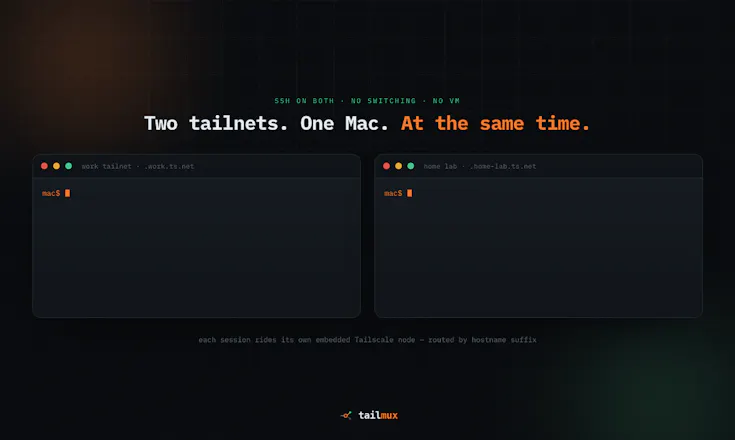
The official Tailscale client keeps one tailnet active at a time. TailMux makes work and personal tailnets reachable simultaneously on macOS and Linux, without switching accounts, running multiple system daemons, or using a VM. It runs an isolated embedded node per profile and routes by hostname, with strict no-fallback isolation. Use SSH, RDP/SMB, browsers, curl, git, and npm across tailnets at the same time.


Payment Required
Launch Team

LightfieldAI-native CRM that builds itself and does work for you
Promoted
Hey Product Hunt 👋 I'm the maker. TailMux started as a personal annoyance: I run a work tailnet and a personal one, and the official client can only be active on one at a time. Fast user switching means constantly running tailscale switch and dropping the other connection.
The workarounds (two daemons, userspace SOCKS5, a whole VM) all felt clunky on macOS, so I built something that runs an isolated embedded Tailscale node per tailnet and routes traffic by hostname suffix. Both tailnets are live at the same time, with strict isolation so nothing leaks between them. It covers SSH, RDP/SMB tunnels, per-tailnet browser routing, and routing curl/git/npm.
It's a one-time $5.99 license (a year of updates, keep your version forever). It's not affiliated with Tailscale — just a companion tool. It scratched my own itch and I use it daily; I'd love feedback from anyone juggling multiple tailnets. Ask me anything.
the fail-closed approach to ambiguous routes is the right instinct, most tools would guess and silently leak traffic down the wrong tunnel. one thing I'm curious about given it's running isolated embedded nodes per tailnet - what's the permission footprint on macOS, does it need a persistent background helper with elevated network privileges, and is it notarized/signed properly given how much trust you're asking for on the network stack
@galdayan Really fair question - especially for an app that sits in the networking path.
TailMux doesn’t install a hidden root daemon, privileged helper, kernel extension, or Network Extension. The app and its embedded tailnet nodes run as normal user processes, and quitting TailMux stops them. Even “Launch at login” simply starts the app itself.
The only macOS network setting it can touch is the optional browser PAC configuration. macOS may require an administrator account to change it, but TailMux doesn’t try to elevate or work around company policies. On a restricted Mac, the change simply fails and you can still use the local proxy or CLI. It also won’t overwrite an existing PAC it doesn’t own and cleans up only its own setting when it stops.
One honest detail: the app isn’t App Sandbox–restricted today because it needs to launch the bundled CLI and call Apple’s networking tools. It still runs as your user, not as root, and the public macOS build uses Hardened Runtime, is Developer ID signed, notarized, and stapled by Apple.
I know networking tools ask for a lot of trust, so I want that boundary to be clear and verifiable. Thanks for asking such a thoughtful question.
@claudio85 the App Sandbox tradeoff is the honest part I was actually looking for - most tools would just not mention that and hope nobody asks. running as user with hardened runtime plus notarization is a reasonable middle ground given it needs to shell out to the CLI. thanks for actually answering instead of just saying "trust us."
@galdayan I’d rather be clear about the tradeoff and let people make an informed decision than hide it behind a vague “secure by design” claim. Questions like yours help keep that boundary honest.
Tnx
Great app, I absolutely want to try it; it would be super convenient even for me, since I live on two different tailnets. If so, are there no profile limits, meaning it can support more than two tailnets?
@bsramin Exactly - two is just the common example. TailMux doesn’t impose a two-profile limit: you can add one isolated profile per tailnet and keep them connected at the same time. Each hostname is routed only through the profile that owns it, with no cross-tailnet fallback. In practice, the limit is your machine’s resources rather than an arbitrary profile quota.
Congratulations on the launch! Managing multiple Tailscale tailnets has always been one of those small but recurring workflow frustrations, so this looks genuinely useful.
I'm curious about the networking side—how does TailMux handle overlapping IP ranges or conflicting DNS configurations when multiple tailnets are active simultaneously? Looking forward to trying it out.
@dasmat13 Thank you — great question. This is exactly why TailMux is hostname-first rather than a second system VPN.
TailMux never merges tailnets into one macOS routing table or one global DNS view. Each profile owns explicit hostname suffixes; overlapping suffixes are rejected at configuration time. Once a hostname is matched, it is resolved through that selected profile’s own Tailscale DNS view (including MagicDNS and split DNS), with no cross-profile or system-DNS fallback.
For overlapping IP ranges, TailMux does not guess. It doesn’t install global routes, and raw IPs are denied by default. Explicit IP routes must be unique across profiles, so conflicting configured ranges are rejected. If two tailnets dynamically expose the same subnet or IP, TailMux removes that ambiguous route from automatic IP routing rather than sending it through either tailnet.
The practical result: service.work.ts.net and service.home.ts.net can each resolve to overlapping private addresses and still work correctly, because the hostname selects the isolated profile before DNS and dialing happen. For a bare IP that exists in both tailnets, you explicitly pin the profile rather than relying on an unsafe guess.
In short: no merged DNS, no route-table fight, and no cross-tailnet fallback. Ambiguity fails closed.
this is exactly the kind of tool that's obviously right once someone builds it - "just run tailscale switch" always felt like a workaround for a problem that shouldn't exist. how do you handle MagicDNS when both tailnets happen to have a machine with the same short hostname? does the routing-by-suffix approach sidestep that collision entirely or is it still something you have to configure around?
@omri_ben_shoham1 That means a lot — “obvious once it exists” is exactly what I hoped TailMux would feel like.
And yes, the suffix approach sidesteps that collision as long as the full MagicDNS name is used. TailMux deliberately doesn’t route on a short name like server, because that could exist in both tailnets. Instead, server.work-tailnet.ts.net and server.home-tailnet.ts.net select different profiles before DNS resolution happens.
The name is then resolved inside that profile’s own MagicDNS view; the other tailnet is never consulted and there’s no fallback. So duplicate short hostnames are perfectly fine—bare short names simply require the full hostname or an explicitly selected profile.
I’m also exploring a friendlier local naming layer for a future release, which could make reaching machines across profiles feel even more natural. It’s still early, but your question is very close to something I’ve been thinking about.
Claudio, the constant dance of dropping one connection to reach another has caught me out more times than I can count. Being able to stay on both at once sounds wonderfully practical.
@matthieu_poitrimolt Thank you - that constant context switch is exactly what pushed me to build TailMux. I wanted both tailnets to stay reachable without having to stop, switch accounts, and reconnect every time. I’m glad the idea resonates, and I’d love to hear how it fits your workflow once you try it.