

TabDog
Manage all your browser tabs in one place
132 followers
Manage all your browser tabs in one place
132 followers
TabDog combines tab search, domain grouping, workspaces, and browsing history in one popup.
Save your tabs as color-coded workspaces. Search any open tab by title or URL. Reopen recently closed tabs. Browse 7 days of history. All keyboard-navigable, with dark mode.
Open source and free. Works on all Chromium browsers.
https://chromewebstore.google.com/detail/tabdog/jadjicoipoakmiahodaniigoocompfpi
This is the 2nd launch from TabDog. View more
TabDog
Launched this week
Most tab managers do one thing — save tabs or search tabs. TabDog does both, and more, in a single lightweight popup.
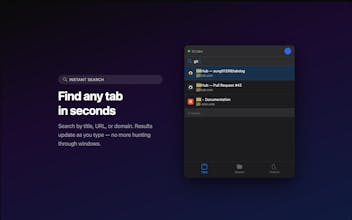
Search all open tabs instantly.
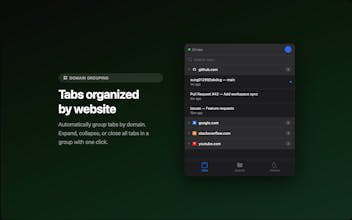
Group them by domain.
Save any tab set as a color-coded workspace and restore it later.
Reopen recently closed tabs.
Navigate everything with your keyboard.
Open source. Free. Works on Chrome, Brave, Edge, and all Chromium browsers.



Free
Launch Team

TabDog
Hey PH! I'm Sung, the maker of TabDog.
The first version required installing a macOS menu bar app + a browser extension, which made the setup painful. So I rebuilt everything as a standalone extension — install once, done.
New in version 2.1.0:
- Workspaces to save/restore tab sets
- Browsing history with search
- Dark mode
- Works on macOS, Windows, and Linux
It's open source and free. Would love your feedback!
AutonomyAI
Nice work, I'm curious how the tab workspaces + search flow works, can't wait to try it! also shared with the team, best of luck!
TabDog
@lev_kerzhner Thanks so much! The flow is simple, hit Cmd+Shift+E to open the popup and start typing to search across your tabs. For workspaces, save new workspaces with any tabs you want and when you need them, you can simply click and add them to your current browser.
Let me know how it goes, would love to hear your feedback!