
superscribe.io
Speak. Track. Bill.
23 followers
Speak. Track. Bill.
23 followers
The missing link between voice-to-text and time tracking. Dictate in any language, text streams live, projects auto-detected. Your voice becomes your timesheet. macOS menu bar.



Hey Product Hunt,
I've been failing at time tracking for years.
Toggl. Harvest. Clockify. Same pattern every time: forget to start the timer, forget to stop it, spend Sunday backfilling my week from memory and calendar archaeology. Some weeks I gave up and just guessed.
Then vibe coding happened.
Suddenly I'm talking to my computer all day - dictating prompts, thinking out loud, narrating what I'm building. I realized my voice already IS my timesheet. I just wasn't capturing it.
So I built Superscribe.
How it works:
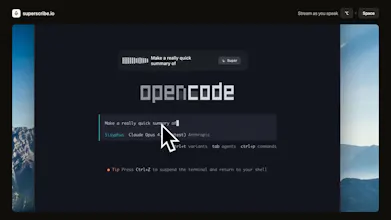
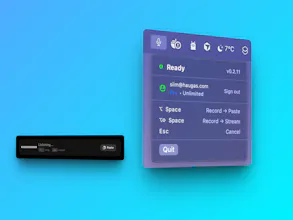
- Option+Space, dictate, text streams live, auto-pastes into any app
- Every transcription becomes a time entry automatically
- Projects auto-detected via semantic search (no manual tagging)
- The more you use it, the smarter it gets at matching context
What makes it different from SuperWhisper / Wispr Flow:
- Streaming text, words appear as you speak
- Any language
- Time tracking built-in, not a separate app, not an afterthought
- Learns your projects, semantic matching improves over time
Pricing:
- Free: 30 minutes of transcription/month, 1 project
- Pro: $9/mo unlimited
- Lifetime: $249 one-time
Solo founder, shipping fast. What would make you switch from your current setup?
The vibe coding angle is genuinely clever. You're right that we're all talking to our computers now, so the voice is already the input. Capturing it as time entries is a natural extension. The project auto-detection via semantic search is where this gets really interesting. Most time trackers fail because they require you to think about categorization at the moment of work. Your approach flips that. Question: how does it handle when you're working on something genuinely new that doesn't match existing projects? Does it prompt you to create one or just bucket it into a catch-all?
@philip_sorensen No match = no project selected. You can set it manually or just say the project name.
Once there's enough logged context, it auto-matches. Gets smarter over time.
Thanks!
Recording the time is definitely nice.
And I also like the ability to visualize my data!