
Launched this week

SubLingo
Learn any language while watching Netflix and YouTube
6 followers
Learn any language while watching Netflix and YouTube
6 followers
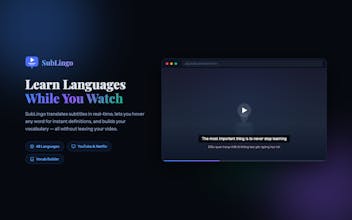
SubLingo adds dual subtitles to Netflix and YouTube so every video becomes a language lesson. How it works: See original + translated subtitles simultaneously. Hover any word for instant translation, pronunciation, and definition. Save words to build vocabulary with spaced-repetition flashcards.





Hey Product Hunt! I'm Thien, the solo developer behind SubLingo.
I'm Vietnamese and have been learning English and other languages through TV shows for years. Subtitles were my secret weapon - but the tools out there felt either too expensive or too clunky. So I built my own.
SubLingo is a Chrome extension that turns Netflix and YouTube into language classrooms. Here's how it works:
Install on Chrome - no account needed, works offline
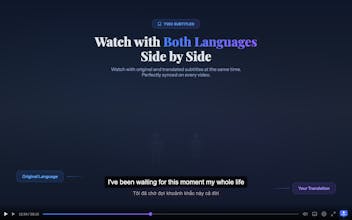
Watch with two subtitles - original language on top, your translation below, perfectly synced
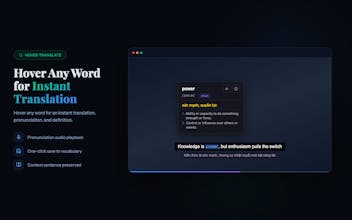
Hover any word - get instant translation, pronunciation, and full definition without pausing
Save words in one click - each word is saved with context sentence, source video, image, and pronunciation
Practice daily - smart flashcards with quizzes, fill-in-the-blank, and listening exercises (FSRS spaced repetition, same algorithm as Anki)
Export anytime - CSV, TSV, or Anki format
Free tier gets you started: original subtitles, 5 hover translates/day, save up to 100 words, flashcard practice, and full export. Premium ($9/mo or $99 lifetime) unlocks unlimited dual subtitles, unlimited hover translate, unlimited word saving, cloud sync, custom subtitle styles, and focus mode.
Exclusive for PH supporters - two launch deals:
WELCOME → 50% off lifetime ($99 → $49.50)
CAMONBAN → 90% off monthly for 3 months ($9 → $0.90/mo)
Apply either code at sublingo.pro/pricing
48 languages supported. I'd love to hear which languages you're learning and what features you'd want next. I'm here all day!
Thanks for checking it out,
Thien