SortlyAI

SortlyAI

Your bookmarks, organized by AI. Extension, mobile, desktop

3 followers

Save, organize, and search bookmarks with AI-powered tagging and summaries. Never lose an important link again. Browser extension available. Try for free!
SortlyAI gallery image
Free Options
Launch Team
Intercom
Intercom
Startups get 90% off Intercom + 1 year of Fin AI Agent free
Promoted

What do you think? …

Gabriele Avanzo
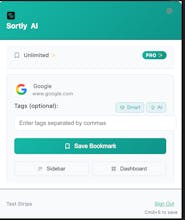
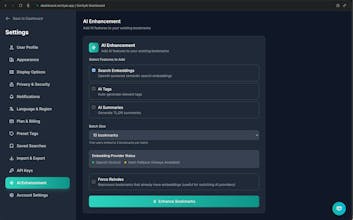
So... this is embarrassing. I'm a developer who had over 3,000 browser bookmarks scattered across Chrome, Firefox, and Safari. Yes, three thousand. Most of them in folders like "Important Stuff" and "Read Later" that I never actually read. The breaking point was in January when I spent 20 minutes looking for a Stripe webhook tutorial I'd bookmarked the week before. Found it eventually - buried in some sub-folder. I tried everything: Raindrop.io (too cluttered), Pocket (where bookmarks go to die), even Notion (overkill much?). Nothing clicked. They all felt like digital hoarding with better UI. So I built SortlyAI. Started as a weekend personal project, turned into something much bigger. Here's the thing that actually works: • Save anything with one click (extension + bookmarklet) • AI auto-tags everything (no more "Dev Resources > Backend > Payments > Read Later") • Actually good search (finds stuff by content, not just title) • Works on mobile (PWA, because I bookmark stuff on my phone too) • Doesn't try to be a second brain or productivity system - just organises your bookmarks Real example: I bookmarked a React hook article this morning. SortlyAI tagged it: "react, hooks, javascript, frontend, tutorial". Tonight I searched "react tutorial" and found it instantly. No folders, no thinking about where I put it. The tiers: • Free: 20 bookmarks to try it out • Pro ($8/month): Unlimited bookmarks + AI features • Premium ($15/month): Everything in Pro + MCP server integration (use your bookmarks directly in Claude Desktop, Cursor, etc.) The MCP thing is pretty wild - you can literally ask Claude "show me my React tutorials" and it pulls from your SortlyAI bookmarks. Built it because I kept copying/pasting bookmark URLs into AI chats. I've been using it daily for months now. Finally found that Stripe tutorial in 3 seconds instead of 20 minutes. Small victory, but it adds up. Would love to hear what you think! And hopefully you will excuse some early bugs... Especially if you're also drowning in bookmarks and have given up on browser folders entirely.