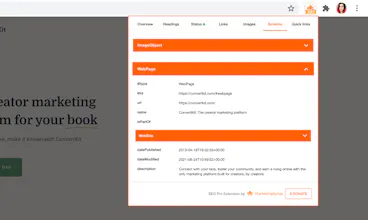
This free SEO extension helps you check and analyze the primary SEO information about your website to improve its performance in search. Get all meta data, Core Web Vitals, headings, HTTP status and redirect chains, structured data info in a few clicks.
I have been using this extension for the past 3 years. It saves SOOOO much time and is one of the first tools I use to diagnose any webpage on the internet. I LOVE the recent addition of word count.
Report
1 view
I find myself using this Chrome extension everyday now. It's brilliant. Essential for every SEO, digital marketer or website builder. And, it's free! What's not to love?! Thanks Kristina :)
Kristina Azarenko is an #SEOProdigy - if she says it's good then it's good...if she says it's great then it's great!
Report
Maker
@luciano_borg haha thanks for the kind words, Luciano!
Report
Maker
Hey Product Hunters!
I’m so excited to (finally!) present you the SEO Pro extension - an ultimate tool for all your on-page SEO checks.
SEO Pro extension is 1 year old. It attracted over 18K users within the first year!
Here are just some of the things you can do with SEO Pro Extension:
Check HTTP Status of Any Page
You will see the badge with the HTTP status right on the extension bar!
Dive even further into the ‘Status’ tab to see more info, including the redirect chains.
Check Core Web Vitals Instantly
The SEO Pro extension shows the Core Web Vitals:
- LCP (largest contentful paint)
- FID (first input delay)
- CLS (cumulative layout shift)
The extension checks Chrome user experience report for mobile and returns the results via API.
It first checks for the Field Data of a page. When it’s not available, then the extension checks for Origin Data (aggregate stats for the whole website).
If neither Field Data nor Origin Data is available, SEO Pro will show ‘No info available’.
Analyze Headings Hierarchy of Any Page
You can quickly see the headings tree of any page.
It’s handy when you want to see how many H1s the page is using. Or when you want to spot any heading opportunities your competitors are using.
Highlight Nofollow Links on a Page
Whenever you need to see if a link on a page is nofollowed, you can easily do it without any need to dig into the code.
Just click the extension badge in the browser, go to the Links tab and choose ‘Highlight nofollow links’.
The nofollow links will be framed in red immediately so that you can easily spot them.
Spot Missing Images Alt Tags
On the Images tab, you can easily see the alt tags of the images on a page.
It will help you quickly spot the images that are missing alt tags.
And so much more!
Report
This is by far the best SEO Chrome Extension I've ever used. ⭐️⭐️⭐️⭐️⭐️ 5 stars!
Report
Hi, very good extension to check quick on-page SEO. Thanks