PIXEL TRANSLATOR 9000

PIXEL TRANSLATOR 9000

PIXEL TRANSLATOR 9000 is a very minima.

4 followers

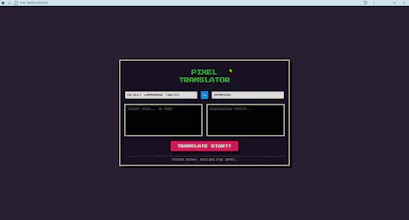
PIXEL TRANSLATOR 9000 is a very minimal, terminal-styled web page whose visible text invites the user to begin translation functionality with a short, high-contrast interface. The page shows the main heading, a call-to-action (“TRANSLATE START!”) and a system prompt line that reads SYSTEM READY. WAITING FOR INPUT. pixeltranlslate.netlify.app
PIXEL TRANSLATOR 9000 gallery image
Free
Launch tags:Developer ToolsGitHubTech
Launch Team
Famulor AI
Famulor AI
One agent, all channels: phone, web & WhatsApp AI
Promoted

What do you think? …

goldensakura
PIXEL TRANSLATOR 9000 is a very minimal, terminal-styled web page whose visible text invites the user to begin translation functionality with a short, high-contrast interface. The page shows the main heading, a call-to-action (“TRANSLATE START!”) and a system prompt line that reads SYSTEM READY. WAITING FOR INPUT. pixeltranlslate.netlify.app What the page literally contains (visible elements) Large heading: PIXEL / TRANSLATOR. pixeltranlslate.netlify.app A centered bidirectional arrow symbol ↔ (suggesting language-direction / swap). pixeltranlslate.netlify.app A bold call to action: TRANSLATE START!. pixeltranlslate.netlify.app A status/prompt line: SYSTEM READY. WAITING FOR INPUT. indicating an interactive prompt or input-driven UI. pixeltranlslate.netlify.app Note: the page is extremely sparse — no menus, examples, visible input fields, language selectors, or footer metadata appear in the visible snapshot. Inferred purpose and core functionality Based on the visible copy and layout, the site appears intended as a lightweight translation interface — likely allowing the user to input text and receive a translated result. The arrow symbol implies support for switching source/target directions. The “SYSTEM READY” prompt suggests a command-line / prompt-driven interaction model rather than a heavy GUI. These are reasonable inferences from the visible labels but are not confirmed by the static snapshot. pixeltranlslate.netlify.app User experience & interface design observations Terminal aesthetic: The page intentionally mimics a console or retro terminal — minimal copy and single-line system prompt encourage keyboard input. pixeltranlslate.netlify.app High clarity, low discoverability: Users immediately understand the site’s goal (translation) but may be unsure how to provide input (no visible input box or example). Speed & focus: The sparse design will load fast and keep the user focused on the translation task. Accessibility considerations: Plain text is good for clarity, but text size, contrast, and keyboard focus states should be verified for accessibility. Typical user flows (hypothetical) User arrives and reads “TRANSLATE START!” and the prompt. User types/pastes text (or clicks an invisible input) and submits. System returns translated text below the prompt or replaces the prompt with output. User uses the arrow ↔ to swap source and target languages (if implemented). These flows are speculative — the page snapshot shows only a prompt and messaging, not the interactive elements themselves. pixeltranlslate.netlify.app Suggested UI/UX improvements Show an input field and buttons (Paste / Translate / Clear) so first-time visitors don’t have to guess how to operate the site. Add language selectors for source and target languages (with a swap button using the arrow icon). Include sample text / example translations to demonstrate behavior and supported languages. Add a short help hint like Type or paste text, then press Enter — type "help" for commands under the prompt. Show recent translations or history so users can re-use results conveniently. Mobile layout checks — ensure input and results are readable on small screens. Security & privacy notes If translations are sent to a third-party API (e.g., cloud translation service), display a privacy notice explaining whether user text is logged or used for model training. For sensitive text (passwords, private messages), provide a clear warning and an option for local-only translation (if feasible). Ensure HTTPS is used on all endpoints and avoid leaking admin/session info on the page. Implementation hypotheses (technical) The site is likely a simple static site (Netlify-hosted) with a small frontend (vanilla JS, React, or similar) that calls an API for translation, or it may use a client-side translation library. The extremely minimal HTML suggests either a single-page app or static HTML with a prompt-driven script. This cannot be definitively determined from the snapshot alone.