Pinggy

Pinggy

Public URLs for localhost without downloading any binary

386 followers

Pinggy provides secure tunnels to localhost with a single command for developing, testing, and deploying your website or app easily. Create HTTP, TCP or TLS tunnels to your Mac / PC even if it's behind firewalls and NATs. Debug requests with built in debugger.
This is the 4th launch from Pinggy. View more
Pinggy Multi Port Forwarding

Pinggy Multi Port Forwarding

Host multiple services, with a single command
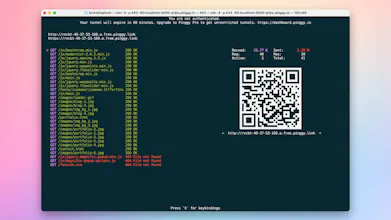
Share multiple localhost ports with a single Pinggy tunnel through different subdomains. Configure a wildcard custom domain and host multiple websites and applications. Use Pinggy for simple tunnels to localhost - HTTP, TCP, UDP, or TLS tunnels.
Pinggy Multi Port Forwarding gallery image
Payment Required
Launch Team
AppSignal
AppSignal
Get the APM insights you need without enterprise price tags.
Promoted

What do you think? …

Bishakh Ghosh
Sharing multiple services from a single machine just got a whole lot simpler. With the new Multiple Port Forwarding feature, Pinggy lets you host different subdomains - each forwarding traffic to different ports on your local machine. All under a single, secure tunnel. 🚀 Why It’s a Game-Changer: Gone are the days of spinning up separate tunnels for every service. With wildcard subdomain support, you can route traffic like a pro: 🔹 cars.example.com → localhost:7070 🔹 bikes.example.com → localhost:8080 🔹 (everything else) → localhost:9090 🔧 How to Set It Up: 1️⃣ Set up your wildcard domain (like *.example.com) 2️⃣ Associate it with your Pinggy Pro token 3️⃣ Run the following tunnel command: ssh -p 443 \ -R 0:localhost:9090 \ -R cars.example.com:0:localhost:7070 \ -R bikes.example.com:0:localhost:8080 \ TOKEN@pro.pinggy.io 📌 Breakdown: cars.example.com forwards to localhost:7070 bikes.example.com goes to localhost:8080 Everything else defaults to localhost:9090 ⚙️ Key Features & Benefits ✅ Multiple Subdomain Routing: Direct different URLs to specific ports on your local machine ✅ Wildcard Domain Support: Use *.example.com to handle all routes under one domain ✅ Single Command Simplicity: Set up in seconds with just one SSH command ✅ Zero Configuration Bloat: No need for external routing tools or scripts ✅ Secure by Default: Built on top of encrypted SSH tunnels 👩‍💻 Perfect For: Developers hosting multiple web apps or dashboards Testing environments with different microservices Teams managing dev, staging, and prod on the same host Rapid prototyping and demos from a single machine 🔐 Available now on Pinggy Pro Get started today and supercharge your tunnel game with Multiple Port Forwarding. 👉 Try it now on Pinggy https://pinggy.io/ https://pinggy.io/docs/http_tunn...