
AI Fire Weekly Webinar
Hands-on AI workshop for real work use cases every week
88 followers
Hands-on AI workshop for real work use cases every week
88 followers
AI Fire Weekly Workshop is a hands-on session focused on applying AI to real work. Each week, we explore practical use cases such as content creation, workflow automation, AI agents, and productivity systems. You will learn how to structure prompts, build repeatable workflows, and choose the right tools for your needs.
The workshop includes live demos, real examples, and clear frameworks so you can apply AI immediately in your daily work. Suitable for beginners and professionals.
This is the 59th launch from AI Fire Weekly Webinar. View more

OpenClaw 2.0: Windows App Setup Guide
Launching today
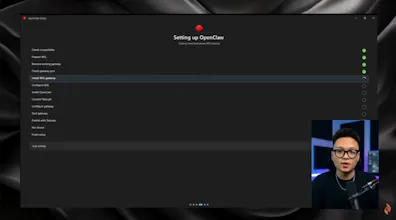
I tested OpenClaw 2.0 on Windows, starting with a clean install and ending with a working AI agent. In this video, I show you how to install WSL and OpenClaw, set up the local Gateway, connect OpenAI and choose a model, then pair a Telegram bot. To check that it works, I ask OpenClaw to create and open a file on my Windows desktop. I also cover one practical limitation to keep in mind before you schedule local automations.



Free
Launch Team


