
Onyx
Free, local-first 4K screen recorder
114 followers
Free, local-first 4K screen recorder
114 followers
Stop paying to record your screen. Onyx is a privacy-first, studio-quality recorder that runs entirely in your browser. No servers, no uploads, and no "5-minute limits." Why I built it: Most tools force cloud subscriptions or downgrade quality. Onyx respects your privacy, giving you raw, high-bitrate 4K video instantly. Free forever. Built for creators to share work without friction.


Onyx
Swytchcode
Can I move the position of the recorder or maybe do a resize?
This is really great, by the way. Bookmarking for future use.
Onyx
@chilarai Hey Chilarai! Thanks for the bookmark! 🙌
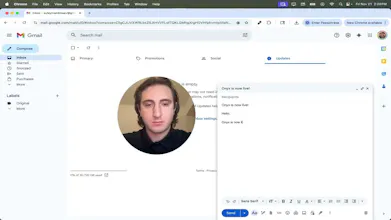
You actually can move and resize the camera bubble right now!
There are specific toggle buttons on the camera overlay that let you switch between Small and Large sizes instantly.
If they weren't easy to spot, that is great feedback for me, I'll work on making those controls more obvious in the next update!
Swytchcode
@suleyman_dolaev1 No the app is awesome! I'll let you know if i find something
Onyx
@chilarai Appreciate the kind words! Definitely let me know if you spot any bugs, fixing them all day today
What is an advantege over the built-in macos feature with a single shortcut and 2 sec to start recording?
Onyx
@pavel_khromov Hey, Pavel! Onyx overlays your camera (resizable/movable) so you can talk through the video. macOS is screen-only.
The product is great for screen recording!
However, I am facing an issue, as shown in the attached image: "Request device not found."
Hey Saleyman. When I started recording, my computer froze for a moment. It probably uses quite a lot of memory in the browser on a regular computer.
Onyx
@jakubpacanda Hey Jakub! Thanks for the honest feedback.
You are spot on, because Onyx runs 100% locally (to ensure privacy) and defaults to high-bitrate 4K, it can be memory-intensive on the browser.
I am adding a "Performance Mode" (1080p) to the roadmap for the next update to make it lighter on RAM. Appreciate you testing it out!
The product is genius. Is there a way to share the recording without downloading the file?
Webhook Catcher
Really beautiful clean, Loved the UX