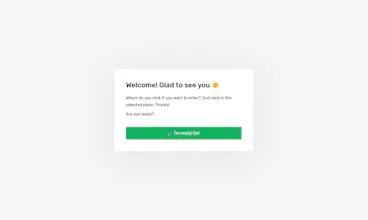
You can enter a link to the layout (1024 and 1440 pixels wide are supported now) and a small task for the user. As a result, you get two links: to the testing page and the results page.
For A/B testing, it is enough to create two tests and send the resulting links for testing to different people. I hope the tool will be useful to you.
Will be glad every questions and feedback.
Telegram group – https://t.me/joinchat/ELtiJVLi6l...
Thanks! 🙏
Hi,
i have tried it is not working . i have given the image link to your site it is not going to second step please give me the sample screenshot of it... or do have the website of the product
@danmeyer1@andrey_torus I think it would be super helpful if this info was somewhere on the main oneclicktest.com page—or at least under an about page. I was very confused about how this worked at first too.
@drewbidlen Thank you! Already there are tools to track user actions on websites. I would like to focus on the design stage when not a single line of code is written.
@andrey_torus Thanks for getting back to me, I can see your point! With that in mind, the ability to upload local images would make the process frictionless!
@drewbidlen I agree that local images upload is a good feature.
But I think it must be paid function because I will need to pay for disk space for all users images. And it will not allow using the project as a repository of any images.
@belson_selvakumar Hello! Thanks for writing! No tutorial available yet. But I wrote a short description in the first comment. If you have questions, you can ask them here.
Report
@andrey_torus Hello! Thanks for the reply i have tried multiple links with many cross verification eg: site image path , website link, local image link , with many various size image in website .... I don't know how to proceed next further please help and figure out how it works exactly....
Radar
OneClickTest
OneClickTest
OneClickTest
OneClickTest
Pocketdoor
OneClickTest
Pocketdoor
OneClickTest
OneClickTest
OneClickTest
SnoozeYouLose
OneClickTest
SnoozeYouLose
OneClickTest
OneClickTest
OneClickTest