oioi
A floating clipboard overlay that pops up with Option + V
196 followers
A floating clipboard overlay that pops up with Option + V
196 followers
oioi is a minimalist clipboard overlay that appears instantly when you press Option + V. Inspired by macOS design, it helps you access your recent copies – text, code, images – without breaking flow. Perfect for devs, designers, writers, and multitaskers.
This is the 2nd launch from oioi. View more
oioi
Launching today
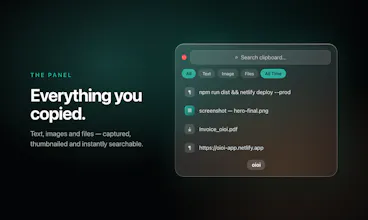
Press ⌥V and your clipboard history floats up in real liquid glass. Text, images and files, searchable. Free & open source for macOS, Windows and Linux.


Launch Team

oioi
Now Supports Windows + Linux alongwith Mac,
Mac Installer Fixed and Everything works buttery smooth.
Give it a try . ITS FREE!!!
the "without breaking flow" pitch is the real test for any clipboard manager, and it usually comes down to whether the overlay closes itself cleanly after you pick something or whether you're left fumbling to dismiss it and get back to typing. curious what the actual interaction feels like after picking an item, does it auto-paste, auto-close, or require an extra step
oioi
@ansari_adin Good Question Adin
If we talk about user experience, that was the first thing I took seriously while building oioi.
I kept asking myself: when a user presses the shortcut, is the popup actually fast enough? Are the entry and exit animations helping the flow, or are they becoming friction disguised as decoration? That question became the foundation of my design philosophy.
From there, every decision came from reducing friction — giving users the freedom to choose between a glassy or flat background, adding search directly into the stack so retrieval feels instant, and making it always-on-top on the Z-axis so it stays accessible over every window without breaking context.
But beyond shipping it, I wanted to make sure it was genuinely useful and not painful in real use. I used it myself for 15–16 days, shared it with friends, and asked them to be brutally honest. A lot of tuning came from that. Even small things, like the corner radius being too curvy, mattered — some people hated it, so I adjusted it.
Because in the end, UI and UX should never become the friction.
And the part you asked about really hit the core of what I was trying to solve, so thank you for asking that.
oioi
@harshchandgotia Hey Harsh
I don’t see it as replacing Command + V. That would be like replacing your hand because you built a better glove. ⌘V is still the fastest way to paste the last thing you copied.
oioi is more like giving ⌘V a sword.
When you need more than just “the last thing” maybe something you copied 20 minutes ago, an image, a file, or a snippet you use often, that’s where Option + V comes in. It’s a separate trigger and a separate layer of power.
The philosophy is simple.
⌘V for instinct. ⌥V for memory.
That’s how I avoid complexity. It evolves the clipboard instead of trying to replace it.
Very clean and clear idea and website. Up to how many messages can the clipboard support in memory before it starts replacing the oldest with the newest messsage (text or photo). Congrats on the launch!
oioi
@konstant_gk Thanks so much, really glad the idea and site landed for you! 🙏
On capacity: oioi keeps your most recent 50 items by default, and once it's full the oldest drops off as new ones come in (text and images alike .... same FIFO history).
It's a slider in Settings, so you can dial it anywhere from 10 up to 200 depending on how much scrollback you like. Appreciate the kind words and the launch wishes! 🦥
StartupBase
Been using Maccy for years and never thought about switching. The liquid glass UI and cross platform support changed that.
The fact that it's open source seals it.
Nice work. 👏
oioi
@attacomsian Hey Atta thanks for the feedback,
stay tuned for more updates...
Build Check
Yeah Vishesh! It's amazing. HAving the history would save a lot of time for me cause I always work with the same assets so I need to go and go again to take the same resource. Really glad to see you helping on this!
oioi
@german_merlo1 That’s exactly one of the reasons I built oioi.
A lot of us keep reusing the same assets, snippets, links, and files, and going back and forth to fetch them again breaks the flow every time.
I wanted to make that history feel like memory you can instantly pull from, instead of re-hunting the same thing again and again.
Really appreciate this, Germán. Glad it resonates with your workflow.
oioi
@dhoorjati_varma1 Hey Dhoorjati,
Mobile version!! intresting will think of it first i will evolve this oioi roll up to an extent where very less bugs will survive then will plan to launch it in mobiles.