

Oculer
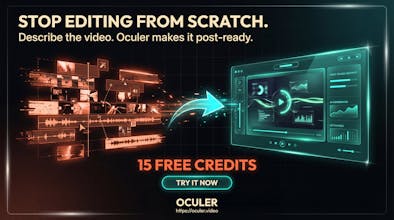
Generate post-ready engaging motion videos from one prompt.
21 followers
Generate post-ready engaging motion videos from one prompt.
21 followers
Oculer turns a prompt into a full, post-ready motion video. Unlike tools that spit out 5–10s clips, Oculer focuses on complete short-form stories with pacing and structure. Pick a template (kinetic type, maps, data, product demos), paste your script, and export for Reels/TikTok/Shorts. Launch offer: 15 free credits to try it today.
This is the 2nd launch from Oculer. View more
Oculer V2
Launched this week
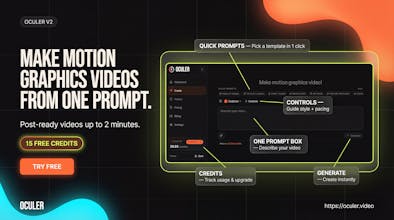
Oculer V2 turns a single prompt into a post-ready motion graphics video.
Pick a Quick Prompt (Product Reveal, Product Launch, Event Teaser, Brand Story, App Demo, Feature Spotlight) or write your own, hit Generate, and export.
Offer: New users get 15 free credits to try Oculer.
We’re building Oculer to make content creation faster and simpler—so creators spend less time editing and more time shipping.
Interactive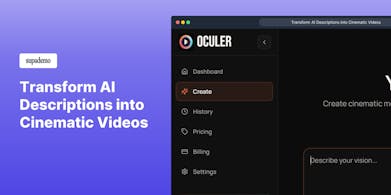

Free Options
Launch Team

We worked on reducing friction in the flow: Describe → Generate → Export.
The goal is: one prompt, no complex timeline, get something post-ready quickly.
If you try it and something feels confusing, tell me where you got stuck — we’ll fix it.
Hey!
I worked on Quick Prompts in Oculer Video.
Goal: get you from "blank page" → first video fast with 1-click starters (Product Reveal, Launch, Event Teaser, Brand Story, App Demo, Feature Spotlight).
If you tell me your niche + target platform (Reels / TikTok / Shorts), I'll share a prompt that works well.
one thing we focused on: making outputs feel like real motion graphics / kinetic typography, not generic “AI slideshow”.
If you drop a topic, I’ll suggest a prompt that produces bold typography + clean icon/shapes motion.
We’re pushing beyond “tiny snippets.”
@oculer is built for complete motion story videos: hook → scenes → transitions → captions → export.
I love part of the Controls panel.
We wanted creators to guide style + pacing without opening a full editing timeline.
What control would you want next: captions style, scene density, or brand kit presets?