
Modeinspect
99 Days Free AI Credits - Design product UI in your codebase
213 followers
99 Days Free AI Credits - Design product UI in your codebase
213 followers
Most software is designed twice: a picture first, then again in code. Intent drifts in between. Modeinspect is the AI design canvas for working on the real thing. Connect your codebase, open an existing screen, and design with your components, tokens, live data, states, and breakpoints. Explore with AI. Keep details that matter. When ready, publish your changes live or send them to engineering for review. You decide when they go live. The canvas is not the destination. The product is.



Free Options
Launch Team

Render: Get up to $100K in startup creditsCloud infrastructure for founders who want to move fast and NOT break things
Promoted
Hey Product Hunt,
I’m Alex, Founding Growth at Modeinspect.
I spend a lot of time watching people use Mode for the first time. The useful moments are rarely the flashy ones. They happen when someone opens a screen their team already ships, fixes something that has been bothering them, and realizes the work can stay connected to the real product, with no need for another handoff.
Mode gives you a visual canvas on top of your codebase. Bring in an existing screen and work with the components, tokens, live data, states, and breakpoints already in the product. Use familiar controls when you know the change you want. Use AI when you want more range.
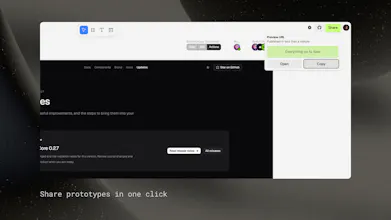
When you’re ready, publish your changes live or send them to engineering to review and merge.
We have spent the last few months testing this workflow with product teams. The milestone for us is not simply generating code. It is producing changes that fit the product, match the codebase, and are good enough to keep.
Prelude is one example. Their design team went from idea to merged PR in 13 days, with zero engineering handoffs needed to prototype. In their pilot, about 95% of generated UI used their existing components and tokens, with zero hardcoded values in merged output. This is the experience we believe every product team should have.
If you try Mode, I would genuinely like to know what felt natural, what made you hesitate, and whether the output looked like code your team would want to keep.
I’ll be here answering questions about the product, setup, supported projects, pricing, and how the PR workflow works. Remember to use code producthunt99 to get 3 months of free access to the pro plan.
Alex
Founding Growth, Modeinspect
@itsnintu nice launch👏i have a question: how does it deal with Git conflicts if the main branch updates while a designer is working on a screen?
@vikramp7470 great question!
So mode will open it's own branch and keep that in sync while you're working on a design, then can be merged back to main using your usual process.
@itsnintu Ah using a separate synced branch is a smart way to handle it.... good work alex
@itsnintu the idea of editing an existing screens directly top of the real codebase is really engaging , i like that goal is not just generate code, but generating something teams would actually keep.
how well does mode handles project with a lot of custom components?
Congrats on the launch team!
hey @charlie_titherley great question! So by default the work that you do on Mode runs on a separate branch and only gets merged when you decide to. For things like database this varies slightly depending on project and how you're codebase is setup, the platform will use what it's given (ie my codebase uses convex dev env keys when working via mode but in practice you could give it the prod keys if you're feeling dangerous).
Hope that helps, let me know if any other questions come to mind!
Working with your existing product with your components and data is the important part. You’re not starting from a generic AI-generated app and you end up shipping real code.
Big day for our team. Looking forward to hearing what people think!
what happens to the other 5%? if generated ui does not map to an existing component, does the pr flag it as a new primitive, or does it land as a one off style someone has to catch in review? that is usually where a design system starts drifting again.
hi @rabnoor_s 👋 if you're pulling from the component drawer, it's reusing an existing component, the ai is configured to also do the same, in the instances where this does not happen it will show in the review, this is still manual for the time being.
Our next big release gets closer to solving the design system drift. Today's focus has been on getting the platform to production-ready, our next target is a fully fledged design system management feature. More on this soon.
This looks really useful, especially from a frontend perspective. Being able to work with the actual components and tokens instead of handing off a static mockup sounds like it could save a lot of back and forth.
Congrats on the launch!