
Marked Share
Markdown and TextBundle editing, review, and sharing
92 followers
Markdown and TextBundle editing, review, and sharing
92 followers
Marked Share is a subproduct of Marked 3, but doesn't require Marked to use. It's a free way to share Markdown and TextBundle documents with images and attachments, allow others to highlight and comment on them, and can even publish "blog" feeds with RSS/Atom and Micro.blog integration. Built in editor, or a full API for integrating with your favorite editor/tool.




I’m Brett, maker of Marked for Mac. Marked Share is a free Markdown/TextBundle publishing service — from the web or from Marked — with short share links on markedb.in. Powered by Apex for handling a wide range of Markdown flavors.
Publish Markdown from the browser, from Marked 3, or without an account
GFM plus extras: tables, footnotes, definition lists, task lists, callouts, SVG, Mermaid, math
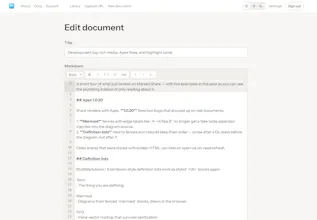
Editor with autosave, images, version history, and import (.md, TextBundle/.textpack, zip)
Capture a URL as Markdown (images re-hosted)
Short links on markedb.in, plus custom slugs (yourname/my-notes)
Private / unlisted / public, optional password and expiry
Raw Markdown and TextBundle downloads
Reading styles, keyboard reading, saved place, table of contents
Highlights, notes, and reviews — share annotated links, import feedback, pull it back into Marked
Library with search, collections, and an opt-in public profile
Blogs: collections on a custom domain or subdomain, with an Atom feed
Micro.blog publishing for documents and collections
Sign in with email or Apple
Full HTTP API — the same one Marked uses (tokens, TextPack, search, highlights, captures)
Docs:
https://share.markedapp.com/docs
Marked Share is currently free, as I built it to offer a publishing option for Marked 3 users. I might charge for it eventually, depending on uptake, but it's free for now and doesn't require Marked to be a fantastic tool for publishing and sharing Markdown files, with full TextBundle support.
Brett seems like one of the finest specimens of a human being I've seen on the Internet - I love his ethos.
He has probably contributed more than almost anyone to making markdown more powerful and usable
Marked (proper) is one of those apps that are constantly open for me -- and I am not a developer or nerd
Marked Share makes so much sense! It came out of the blue (for me) to solve my challenge of making sharing and publishing easy, flexible, and powerful. And in a way that my content isn't held hostage by 3rd parties.
The price is unreasonably low (free!)
I don't know Brett personally and have never communicated with him. But I use his (one, for now) paid and (many) free/open source apps every day. And I follow his uncharacteristically candid and useful blog -- I especially love his weekly "web excursions"
@andreas_trianta You should contact me sometime, I'm super friendly and love hearing from users/readers :).
The markedb.in share link is the part I'd use. Most people I send drafts to won't make an account just to leave a note. Do highlights work for a reader who never signs in?
@yelyzaveta_kibets yep. If you make a document public, you can share your highlight set with a special link format that will let anyone view it. You can also create your own highlight set without an account and share it with just a query string on the original url.