Markdown to ServiceNow

Markdown to ServiceNow

Write Markdown in ServiceNow journal fields

1 follower

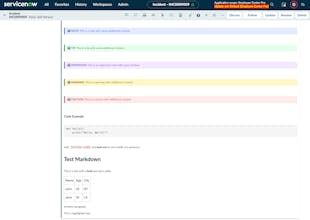
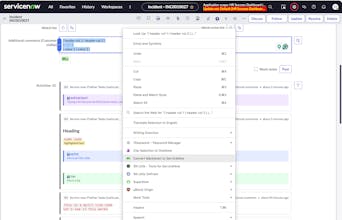
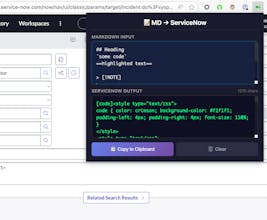
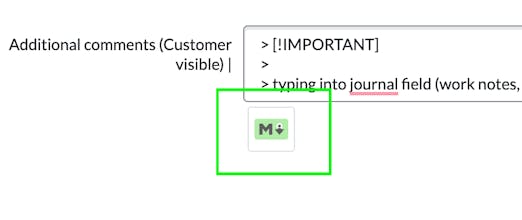
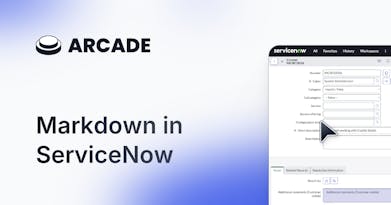
Write rich markdown into your ServiceNow comments and work notes. This launch focuses on solving a very specific gap in ServiceNow workflows. Instead of another rich text editor, it lets you write simple Markdown and converts it into ServiceNow-friendly journal formatting. The standout parts are the ServiceNow-safe conversion, support for checklists and code blocks, and a lightweight browser extension built for daily work notes, not documentation.
Interactive
Markdown to ServiceNow gallery image
Free
Launch tags:Chrome ExtensionsNotesSaaS
Launch Team
Tines
Tines
The intelligent workflow platform
Promoted

What do you think? …

Prakhar Yadav
Maker
📌
Hey everyone 👋 This started as a very small frustration during daily work. I write a lot of updates in ServiceNow work notes. Status updates, investigation steps, checklists, and small code snippets. Plain text made everything hard to scan, and the editor felt slow and limited. I wanted to write in Markdown and still have the notes look clean inside ServiceNow. So I first built a tiny library that converts Markdown into ServiceNow journal-friendly formatting. Once that worked well, the browser extension felt like the obvious next step so I could use it daily without friction. The approach evolved while building it. I kept removing features that felt heavy and focused only on what helps during real work notes. Lists, highlights, code blocks, tables and readability. Both the library and extension are open source. I use them every day now, and this launch is mainly to see if others face the same problem. Would love feedback, feature ideas, or edge cases you run into 🙏