
Magic Layers by Canva
Turn any flat image into a fully editable design
163 followers
Turn any flat image into a fully editable design
163 followers
Magic Layers converts any flat PNG or JPG into editable layers inside Canva, live text, movable objects, and intact layout. For marketers, creators, and teams who iterate on AI-generated visuals.


Free Options
Launch Team

Viktor.comAn AI coworker that actually does the work
Promoted
Magic Layers is Canva's answer to a problem AI tools created for themselves.
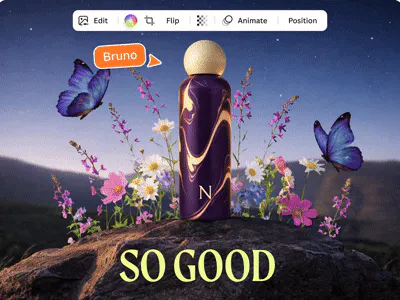
It takes any flat image and converts it into a fully editable, layered design inside Canva, separating text, objects, and layout into components you can actually change.
The core problem: every AI image generator produces locked files. A JPEG has no layers, no live text, no movable parts. One typo or a slightly off background means starting over.
What's different here is the shift from tracing to interpreting. Conventional tools outline pixel regions. Magic Layers identifies that a block of pixels is a headline, not a decorative shape and restores it as a live text box you can type into.
Key features:
Flat PNG or JPG in, fully layered Canva file out
Text restored as editable text boxes — fix typos, swap fonts, translate copy
Objects separated as independent movable elements
Compatible with any AI image generator output
Premium feature — usage counts against your monthly AI allowance
Built for content teams producing visuals at volume, creators iterating across formats, and marketers who can't afford a rebuild every time a detail changes.
How much time does your team lose today going back to reprompt or redesign when an AI visual lands at 80%?
P.S. I hunt the latest and greatest launches in tech, SaaS and AI, follow to be notified → @rohanrecommends
This is pretty much unusable for anything other than some obscure prototyping. I gave it a simple task: First scroll of slack homepage. While it does really well interpreting where the fonts are and doing OCR, any flat objects it buchers hard and creates a low-res version bitmap of it (instead of sharp vector - (look at GET STARTED button background)). Meaning in the end, you can't use it at all as the final quality is just so bad that you'd have to reposition/draw everything by hand.
ORIGINAL:
MAGIC LAYERS:
ORIGINAL:
MAGIC LAYERS (note how it buchers the REQUEST A DEMO button cutting out it's bottom border):
@yodalr Immediate follow, trying the products and posting screenshots is badass.
Pretty good detection and masking. Inpainting of textured backgrounds is blurry, you'll need to touch those up.
This is amazing! Something I've really been missing while using Canva for my job as well as my personal life! Will this add on eventually be part of the free or the paid version? Congrats on the launch!
I have been using this today within Chat GPT/Canva and it is a game changer for converting great AI images into fully editable templates/projects!