Launching today

Loova Agents
Your AI director for creating cinematic videos with ease
305 followers
Your AI director for creating cinematic videos with ease
305 followers
Tell Loova your idea in everyday words, and Loova agents act as your personal director to plan, direct, and generate your film. Make scroll-stopping ads, short films, and product videos fast. With an infinite canvas for boundless imagination, Loova Agents make professional video storytelling simple.


Loova Agents
Hi everyone, this is Anbang, founder of Loova 👋
Before building Loova Agents, I kept running into the same issue over and over again.
AI video creation is powerful now. But the workflow still feels broken.
People open 20 different tabs just to make one video.
Docs for ideas. GPT for scripts. One tool for images. Another for video. Another for music. Then editing software on top of that.
You go from:
idea → prompts → images → video → editing
And somewhere in the middle, the creative flow gets lost.
The bigger problem is that most AI tools only help you generate.
They don’t help you think visually.
They don’t help you direct.
But most creators are not trained filmmakers. They shouldn’t need to think like prompt engineers just to tell a story.
That frustration is what led us to build Loova Agents.
We wanted to create something that behaves more like a creative director than just another AI generator.
With Loova Agents, the goal is simple:
understand the intent behind your idea
plan scenes before generation
generate visuals and BGM together
keep the whole project inside one infinite canvas
let creators shape stories visually, not tab by tab
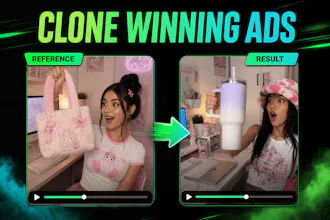
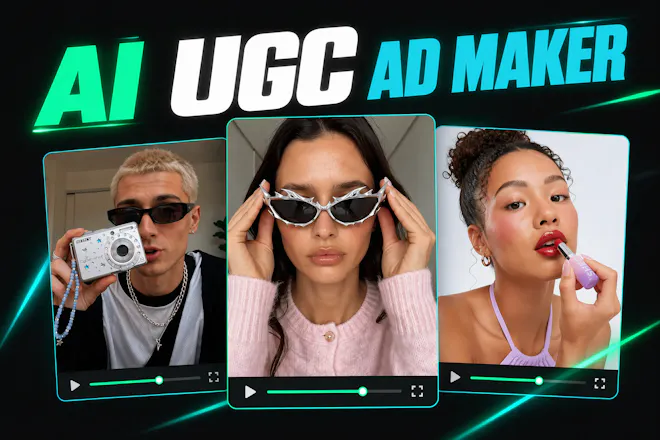
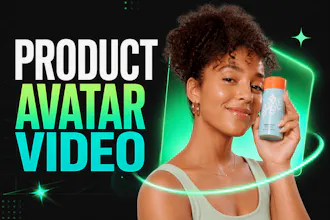
People are already using it for product ads, AI short films, talking avatar videos, UGC style content, and more.
We’re still very early. Still learning every day. Still building with the community.
If you try it, I’d genuinely love to hear your thoughts. A lot of what we build next will come directly from user feedback. Here is a quick link to explore: https://loova.ai/ai-agent/intro
The “creative director, not just generator” framing is the right wedge here. For product/UGC-style videos, the planning layer is usually where generic AI output starts to drift: the hook, pacing, visual proof, and brand constraints all need to survive before generation starts.
Curious how you handle reusable creative direction. Can a team save brand/voice constraints, example shots, or “avoid this style” notes so future videos feel consistent without turning every new idea into another long prompt?
Loova Agents
@jim_jeffers Yes, this is something we’re building.
The goal is to let teams reuse creative direction like brand voice, reference shots, and style notes, so future videos can start with the right context without writing a long prompt every time.
This consistency layer is especially important for product and UGC videos.
This looks like a game-changer for solo creators. The jump from "AI-generated video" to "cinematic video" usually requires a lot of manual editing. Does the "AI Director" allow for specific camera movement commands (like pans or dollies), or does it infer the best shots based on the script?
Loova Agents
@rivra_dev Yes, you can specify camera movements like pans, dollies, zooms, or tracking shots yourself.
If you don’t provide specific directions, the AI Director will automatically infer the best shots and camera movements based on the script. You can give it a try.
Loova Agents
@rivra_dev Thanks, really appreciate that.
You can do both. If you give specific camera directions like pan, dolly in, handheld, close-up, Loova will follow them in the plan.
If you just start with a script or rough idea, the agent can also infer the shots that fit the scene.
Congrats on the launch, Anbang! Love the "creative director" framing. Here's what I'm wondering — during scene planning, how much control do I actually have over specific camera moves? Like if I want a slow dolly in or a whip pan, will the agent follow my command, or does it decide what's best based on the script?
Loova Agents
@new_user___117202639633ed66e16b5d8 Thanks so much.
If you give a specific camera move, Loova will follow that direction. So things like slow dolly in, whip pan, handheld, close-up, etc. can all be part of the plan.
If you don’t specify it, the agent will choose what fits the scene.
SpeakON
I’m not a video expert, so the planning part is what interests me. If the agent can guide me from a rough idea to something usable, that makes AI video much more approachable.
Loova Agents
@rockzhang Yes, that’s exactly what we’re building. The goal is for the agent to act like a director and marketing expert, helping you turn a rough idea into a high-quality video quickly and easily.
Loova Agents
@rockzhang That’s exactly what we want to make easier.
You shouldn’t need to know how to write a script, plan shots, or choose the right tools. With Loova, you can start from a rough creative goal, and the agent will turn it into a story structure, scenes, visuals, and a video workflow automatically.
You can still jump in and adjust things, but the heavy lifting should be handled by the agent.
Triforce Todos
Quick question, once you have your video, where can you take it?
Can you export to any format, or is it locked into Loova's ecosystem?
Loova Agents
@abod_rehman You can use the videos across TikTok, YouTube, Instagram, ads, landing pages, ecommerce stores, client work, and pretty much anywhere else.
Not locked at all. We support exporting videos in standard formats, and we’re also building more editing/export flexibility so creators can continue workflows in tools they already use if they want.
Loova Agents
@abod_rehman It’s not locked into Loova.
You can export the final video and use it wherever you need — social posts, ads, landing pages, client work, or your own editing workflow.
We want Loova to fit into creators’ existing workflows, not trap the work inside our product.
Huge congrats on the launch, Anbang! The infinite canvas idea is really intriguing. How does the scene planning phase actually work does the agent auto suggest shot types based on the script?
Loova Agents
@imogen_wallace Thank you! Yes, the agent can automatically suggest scene structure, shot types, camera movement, pacing, and transitions based on the script and the goal of the video.
Behind the scenes, we’ve worked with professional directors and marketing experts to design the workflows and prompting system, so the agent is not just randomly generating shots - it’s following creative logic that’s closer to how real video teams work.
Loova Agents
@imogen_wallace Thanks so much!
Yes, the agent can suggest shot types based on the script, story flow, and the goal of the video. It will break the idea into scenes, then propose things like close-ups, product shots, establishing shots, or action shots where they make sense.
You can also edit the plan before generation, so it’s not a black box.