Locofy.ai
Build frontend 10x faster with design-to-code AI
4.9•35 reviews•4.2K followers
Build frontend 10x faster with design-to-code AI
4.9•35 reviews•4.2K followers
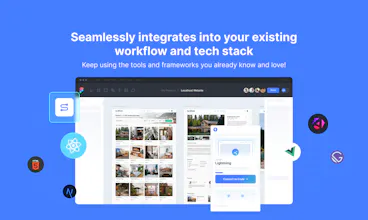
Go from designs to developer-friendly frontend code in a flash without changing your tech stack or workflows. Get responsive, interactive, and modular code that you can easily export or sync to GitHub/VS Code.
This is the 4th launch from Locofy.ai. View more
Locofy: design-to-code agents
Launched this week
Locofy is the agentic frontend layer between Figma and Cursor & Claude.
Using proprietary design-aware models combined with LLMs, Locofy converts Figma designs into structured, responsive, pixel-perfect frontend code and works directly from the CLI, Cursor, Claude Code, and others.
While coding agents excel at logic and iteration, they still struggle with UI precision and Figma structure — Locofy provides the frontend foundation they can reliably build on.


Free Options
Launch Team / Built With


Locofy.ai
Hey PH 👋
We’re really grateful for the support Locofy has had since the early days — a lot of what we are today is because of this community.
We’re back with a very different Locofy: more developer-first, more modern, and built for how people actually ship frontend today.
Earlier, Locofy was heavily designer-centric and enterprise-focused. Over the last couple of years, we heard consistent feedback from startup devs and freelancers that the workflow wasn’t flexible or accessible enough — so we’ve made a deliberate shift.
Now Locofy supports:
* Figma → pixel-perfect frontend code using proprietary design-aware models + LLMs
* Agentic workflows built for developers (use Locofy directly from CLI, Cursor, Claude Code, other Copilots)
* Self-serve plans with flexible, affordable pricing for individuals and small teams
Why does Locofy sit between Figma and Cursor/Claude instead of just using them directly with Figma?
Because AI coding agents are incredible at logic and iteration, but they still struggle with UI fidelity and understanding Figma’s structure. That leads to broken layouts, inconsistent spacing, and a lot of manual cleanup.
Locofy solves that by translating design intent into structured, production-ready frontend code first and acting as the missing frontend layer between Figma and Cursor / Claude Code etc— so Cursor and Claude can focus on what they do best: building features, logic, and product flows on top of a solid UI foundation.
This launch is really us correcting course, and building for the way frontend is actually being built now.
Appreciate everyone who’s been part of the journey 🙌
The design-to-code agent direction makes sense, especially if it keeps design intent visible instead of only generating files. I’d love to understand how teams review the generated code when the Figma source keeps changing.
Locofy.ai
@xuanlin Great question! Locofy detects changes in your Figma design when you re-run the same screen in the same project, so you're not regenerating everything from scratch each time. And if you sync to GitHub, we only push the diff, not the entire codebase. That keeps PRs reviewable and lets teams treat design updates like any other incremental code change.
Bridging the Figma AST to idiomatic React components is a hard problem. Most tools spit out nested divs that are painful to maintain. We've dealt with this exact friction building UI from design mocks. Do the agents understand shared state and component boundaries, or does that still require manual cleanup after generation?
Locofy.ai
@retain_dev Great question. This is actually one of the reasons we've invested heavily in our auto-merge workflows.
When generating into an existing codebase, Locofy doesn't just generate a brand new set of components every time. It analyzes the existing project structure, attempts to reuse components where possible, and then merges the generated changes into the codebase rather than replacing everything.
We think that's a better fit for real-world projects than generating an entirely isolated frontend that then requires a large cleanup pass before it can be integrated.
SlimSnap
Congrats on the launch. The "agents struggle with UI precision" framing is spot on. One architectural question: does this need the Figma source as the anchor, or can it help when you're editing an existing/running app where there's no design file to read from? Curious where the boundary is, since a lot of agent UI work happens on screens that never had a Figma.
Locofy.ai
@bickov Figma is the primary source of truth because it gives us rich design context around layouts, components, variables, responsiveness, and overall design intent.
That said, once code has been generated, our CLI, MCP, and Agent workflows can operate directly on the existing codebase. A lot of our users use Locofy to pull new screens or design updates into an existing project and then continue iterating using AI without constantly going back to Figma.
SlimSnap
@anurag_k1 Makes sense, thanks. Figma-in for the structure, then CLI/MCP on the generated code, that clears up the boundary. My world is the other entry point, screens that never had a Figma, so sounds like we're optimizing for different starting lines. Good to see the precision problem taken seriously at this layer. Congrats again.
Locofy.ai
I've been trying the new workflows, and they feel much more developer-friendly than before.
The CLI workflow is probably my favorite. Being able to generate code directly from a Figma URL and merge it into an existing codebase without leaving the terminal feels super natural.MCP is also a great addition. Having Locofy available inside Cursor and Claude Code fits much better into how I build products today
The combination of design-aware code generation + AI-powered refinement feels like a natural fit for modern frontend development.
Congrats on the launch! Excited to see how design-aware models hold up against messy Figma files in the wild vs. clean design systems.
Locofy.ai
Thanks a lot@andreas_rubin_schwarz .
Please give it a try and let us know!
proud to see how far this product has come. Huge congratulations to the team on the launch, and wishing you all the best for the journey ahead! 🚀
Locofy.ai
Thank you@vumanhcuongit !
About time that you give our new workflows a try.