Listly Chrome Extension

Listly Chrome Extension

Convert webpages into Excel data in seconds

28 followers

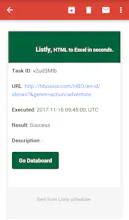
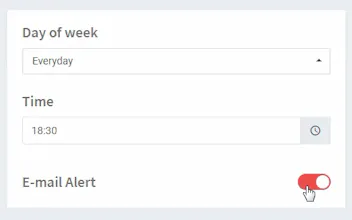
This is a free tool to turn web data into Excel. All you need is just one-click. It automatically extracts clean data and arranges them into rows and columns. They provide scheduler, e-mail alert for auto web scraping. In addition, the databoard allows you to register thousands of URLs at once and export all into a single spreadsheet with clicks.
Listly Chrome Extension gallery image
Launch tags:Web AppData Science
Launch Team
Vy - Cross platform AI agent
AI agent that uses your computer, cross platform, no APIs
Promoted

What do you think? …

Changmin
Hello, PH. I didn't expect Lislty could be featured and ranked on the main. Thank you all. Listly has the strong algorithm to analyze any web pages and arrange data. Until now, Listly has done more than 100k of requests from users in 170 countries and internally been tested with a huge dataset of different sites. Most of them have shown excellent results. We concentrate, however, on few failed cases to gradually improve our services. We are eager to change the way you extract the web data. We all (analyst, marketer, researcher, developer, and users without coding skills) handle data every day and make an opportunity with it. But the way to get clean data is still difficult and unfair to someone. Listly's mission is to let you focus on your real work, data analysis. We will remove the obstacles to clean data. We have just started the regular service a month ago. Welcome more questions, feedback, any opinions for better features. Happy new year, Changmin
Elizabeth
GUT REACTION : Oh cool! Spreadsheet A A Verb [SAAV] - Normalize all the things - yes. BRAND : Very minimal, which is on-brand for the data people - but the site could be a bit more modern - to help echo the competence at a glance [CAAG] of the tech behind it. PROBLEM : Data scraping is time-consuming, labor-intensive, and soul-killing. SOLUTION : Chrome extension that translates sites into normalized excel sheets. MARKET : Big data - finding data to feed our adolescent ML / AI overlords is v. high prio rn. COMPETITION : import.io - I know there's others, but I think of import.io as king here. TEAM : WOAH - it's by the former Director of Engineering of Vimeo - that's legit. Wait. Nope. Different Listly. TRACTION : Made by one man show [?] @koreaccm - who's been pushing on this dream since at least 2014. PRICING : Freemium - $10/mo - very reasonable CONCLUSIONS : Great solution to a real problem - curious if there's a new angle on the tech - that'd pave the way for an acquisition by @importio?
Vlad Calus
Did anyone use it? I'm curious to try it out, as one of my day to day jobs to do is scraping data.
Changmin
@vladcalus I am sure that it will work on your pages, too. I recommend you have a try. Welcome questions or feedback.
Cosmin Băluţă

Didn't expect it to be so good. It did the job amazing, without any bugs/errors.

Pros:

Worked perfectly as advertised.

Cons:

Nothing.

Matthew Eierman
This will save me so much time
Cosmin Băluţă
This is amazing and, as i mentioned in the review, it blew my mind because i didn't expect it to work just as it should. Usually this things are buggy, have errors or simply don't work. I've tested some in the past and everything was disappointing. I'll have some fun with the free version, but i think i'll switch pretty soon to the starter pack. Also, great pricing! It's perfect! Congrats and thank you!
S. Ketharaman
Sounded good. I installed Listly on my Chrome browser and tried it out with a page from Amazon IN. I faced two issues: (1) On Listly's Databoard, the scraping "Doing..." was going on for at least two hours. When I refreshed the page, the page said "Complete". Going by "all's well that ends well", this issue can perhaps be ignored. But the second issue is a bit concerning: (2) When I tried to download the Excel file, I got a serious McAfee warning about spyware (screenshot here: ). Should I ignore this warning and proceed with download or is this indicative of some problem that I should await resolution of?
12
Next
Last