
LiquidTimers
Visual pomodoro timer with drag & drop simplicity
224 followers
Visual pomodoro timer with drag & drop simplicity
224 followers
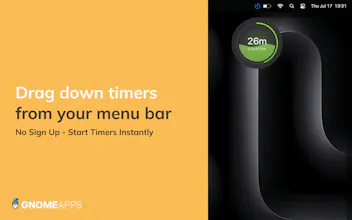
Liquid Timer is a modern timer and focus app designed for power users, students, and creatives. Easily drag a timer from the menu bar to your desktop, set unlimited circular timers, and watch as vibrant liquid animations show time draining away.
This is the 2nd launch from LiquidTimers. View more
Liquid Timer v2
Launched this week
Based on our user feedback we've launched Liquid Timer v2 with some improvements. With over 3000 downloads to date we listened to our users and added:
- Option to turn on minutes + seconds or just minute;
- Right click for individual timer options (pause, cancel, style)
- Reduced CPU usage
- New timer style with timer bars
- Immersive fullscreen liquid timer
Download the app now for free!


Free
Launch Team


LiquidTimers
Love how this makes time feel visible, not just counted. The drag-and-drop + liquid animation combo is a great fit for focus without anxiety. v2 sounds like a solid polish pass — nice work listening to users
Congrats on v2 and 3K+ downloads! The visual liquid animation really does make time feel more tangible - it's way more motivating than watching numbers count down. I appreciate that you listened to user feedback for the minutes+seconds option and reduced CPU usage. The fullscreen immersive mode sounds perfect for deep work sessions. Does the drag-and-drop from menu bar work across multiple monitors, or does it only deploy to the primary screen?
I’m glad they managed to reduce the CPU usage because I hate it when simple utility apps drain my battery. I’m dying to see that 'immersive fullscreen' mode do you think it would make a good desktop screensaver while I’m taking a break?
The option to switch between just minutes or minutes and seconds is a nice touch for those who get anxious watching the seconds tick down. I’m mainly wondering if the fullscreen mode supports multiple monitors or if it just stays on the main one.