

KinoFlux
Minimal offline toolkit for quick video and audio work
3 followers
Minimal offline toolkit for quick video and audio work
3 followers
KinoFlux is a complete offline, minimal video and audio toolkit designed for fast, simple media handling. It’s built for creators who need to edit, convert, compress, and manage files without heavy software, internet access, or complex setups.

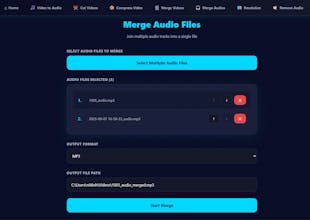
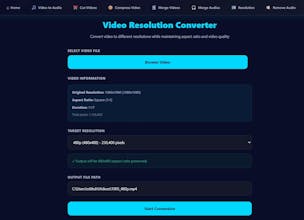
Hey everyone,
I'm working on a desktop tool called KinoFlux, and I wanted to show off the Video Compressor module I just finished.
We've all faced the "File Too Large" error on Discord or email. The underlying tech to fix this (FFmpeg) is amazing, but remembering the command line arguments for CRF values and codecs is a pain.
So, I built a UI for it. Here is how it works (as seen in the screenshot):
Simplicity First: You just pick your video.
The "Quality" Dropdown (The important part): Instead of just saying "Low" or "High," I expose the CRF (Constant Rate Factor) values.
In the screenshot, I have CRF 35 selected. This is aggressive compression (labeled "Very Low Quality"), perfect for when you need a file to be tiny just to share a quick demo or meme.
Lower CRF numbers would mean higher quality/larger size.
Codec Control: It defaults to LIBX264, which is the standard, reliable codec that plays on pretty much every device in existence.
It takes the complex math of compression and hides it behind a few dropdowns.
I'm building this in public and would love to know: do you prefer having control over CRF values like this, or do you prefer a simple "Target File Size" (e.g., "Make this 8MB") button?
Download it from : https://ntxm.org/products/kinoflux/
Let me know what you think!