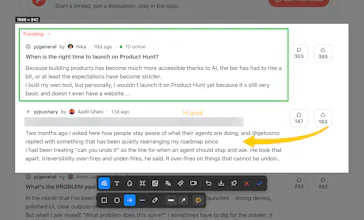
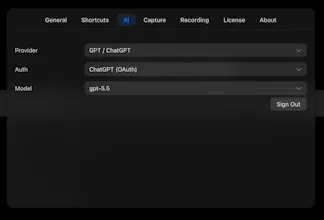
iShot turns one shortcut into everything you need for images on your Mac — capture anything, grab text, ask questions with AI, edit, annotate, and save it for later. No switching between apps, window. Just one shortcut, whatever you want to do with an image.
No reviews yetBe the first to leave a review for iShot
Maker
📌
Hey Product Hunt! 👋 Tuan here, solo dev behind iShot.
I built iShot because I was tired of the screenshot dance: capture in one app, open another to annotate, a third to grab text, a fourth to record. Every "quick screenshot" turned into a parade of apps and clicks.
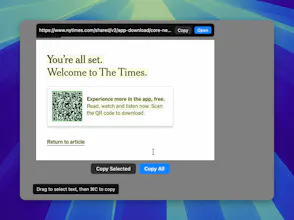
I wanted one tool that handled the whole flow — capture, mark it up, lift the text (OCR), decode a QR, translate, or hit record with a camera bubble — all from a single keyboard shortcut, without leaving the capture.
The hardest parts ended up being the invisible ones: scroll-capturing long pages by stitching frames on the fly, keeping the overlay alive across fullscreen Spaces, and running OCR fully on-device so your screenshots never leave your Mac. A lot of late nights went into making it feel instant.
It's a one-time $4.99 (no subscription) with a 30-day free trial. I'd love your feedback — what's your current screenshot workflow, and what's missing from it?
Thanks for checking it out!