

Human-Friendly Accessibility Checklist
A simple way to follow WCAG, iOS, Android, ADA & EAA rules
3 followers
A simple way to follow WCAG, iOS, Android, ADA & EAA rules
3 followers
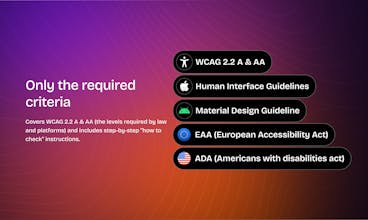
Accessibility laws like WCAG, iOS/Android guidelines, ADA and the European Accessibility Act can be hard to follow. This checklist translates all those requirements into plain language, so anyone – designer, PM, QA, or developer – can understand and check accessibility with confidence. It includes only the legally required criteria (WCAG 2.2 A & AA) and is available in Notion, Spreadsheet, and PDF formats.



@ngulak Love the simplicity. But curious—how do you balance brevity with edge cases like dynamic content or ARIA roles?
@masump This checklist focuses on the requirements defined in WCAG 2.2 A & AA, not the implementation techniques. WCAG doesn’t require ARIA itself – it only requires that things like purpose, state, name, and updates are programmatically communicated. Whether that’s done via native elements, ARIA roles, aria-live, or another method is up to the development team.
Dynamic content falls under those same WCAG criteria: focus order, status announcements, predictable behavior, and reading order. The checklist includes all these requirements, but explains them in plain, non-technical language so designers, PMs, QA, and devs can work from the same understanding.
I may create a separate dev-focused add-on later, thanks for bringing it up!